Updated: May 28, 2025
Hear hear. Now, I'm not going to be neither the first nor the second person to write about this topic. Still, I wanted to share with you a tutorial on how to use Google's search engine without having to filter through annoying AI overviews and summaries and other dross. Simple results, simple data.
I've been toying with this functionality ever since I chose to write my nonfiction military book. As part of my research, I had to use various search engines quite a bit, and along the way, I discovered their pros and cons, and made adjustments in how I do things to be more efficient, and most importantly, try to get the most accurate information available. While weird, esoteric search terms won't trigger that many AI overviews, common searches most definitely will. Not only are they annoying, they are often plain wrong. So, let's avoid them altogether. After me.
Ingredients
What you will want for this recipe are the following pieces:
- Google search, with several additional parameters.
- Firefox as your browser, because it lets you add custom search engines (relatively) easily.
Search without AI
Let's start with the simple thing. Google has supported search parameters since forever. Basically, simply append search qualifiers and values after the question mark (?) in the address bar, and the search engine will behave accordingly. Namely:
https://www.google.com/search?[all sorts of wondrous qualifiers go here]
For the AI piece, you want the following:
https://www.google.com/search?q=%s&udm=14
In a nutshell, the URL above will return your search query, whatever it may be (q=%s) without any AI (udm=14). And then, if you want to get verbatim results, then the search query becomes this:
https://www.google.com/search?q=%s&udm=14&tbs=li:1
The parameter tbs=li:1 means verbatim results (I ought to thank The Register for this second tip). In other words, in the past, you could simply put your search queries in quotation marks, and Google would return any result that contain the specific string as is, e.g.: "my website is". Recently though, I noticed that Google, but other search engines too, often ignore these queries (but not always), which can make it harder to find exact information, especially when doing research.
Since I detest most changes introduced to the Web in the past decade or so, I've not delved too much into making search engines behave. I preferred to minimize my interaction online than invest time taming annoying tools. During my book work, the very niche nature of my writing actually helped me avoid most of of the pitfalls of the modern Internet, simply by the virtue of limited information availability, plus the still effective use of site search qualifiers (site:). Hence, the tbs option is quite handy.
Results
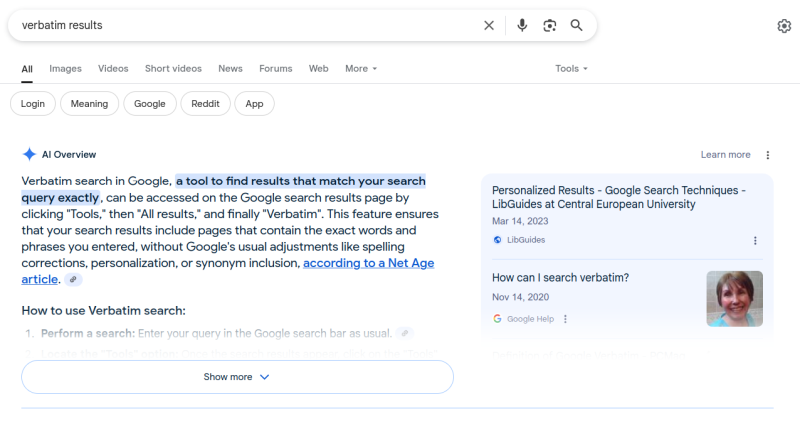
A brief demonstration of the above. First, a "normal" search for verbatim results:
Now, a "normal" search for the above, plus quotation marks:
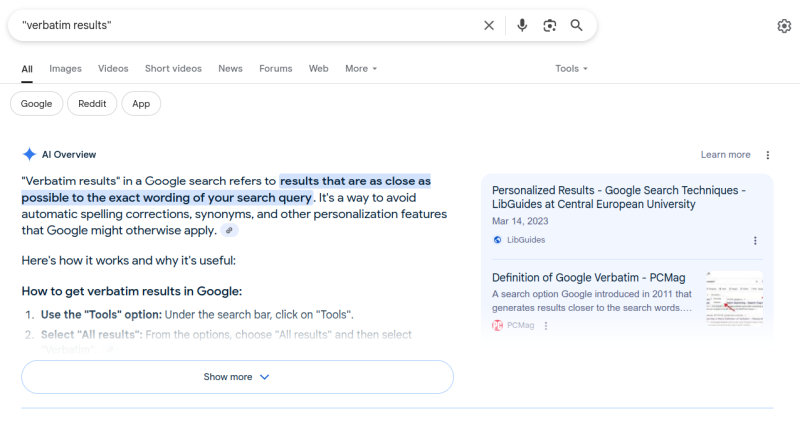
Let's briefly analyze what we have above, shall we.
- In the first instance, the "AI Overview" tells me how to use Google, which is not what I asked really. Then, it references an article from ... somewhere? In the right pane, you have two articles, a guide for using Google Search Technologies (from 2023), and a question from Google Help (from 2020).
- In the second instance, the same "AI overview" explains what verbatim results mean, which could be potentially relevant, but the answer is still limited to Google. The right-side pane is different.
On its own, the linked information may not be bad (I don't know at this point). However, the so-called AI stuff is simply obnoxious. And rather useless. It siloes information, leads you down very deliberate paths, there's way too much information, some inaccurate or irrelevant at that, and we haven't even touched on anything really specific. Indeed, during my book work, the AI results, when they did rarely show up, would often contain wrong results, or numbers almost randomly picked out from quoted or linked articles.
Now, here's what happens when you use the same search with the two parameters, udm and tbs, active:
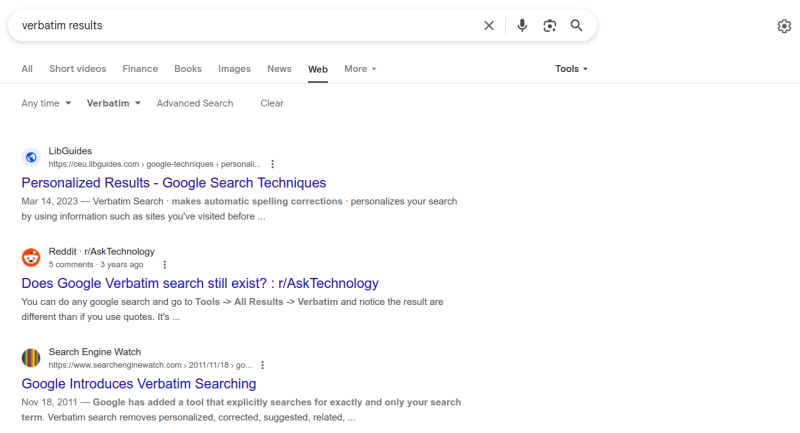
Instead of the "All" tab, you're redirected to the "Web" tab. And the search tools are active, with Verbatim turned on. Technically, you could get this same information manually, by doing your regular search, clicking on the Web tab, then Tools, then Verbatim. So, yes, it's doable, but it takes quite a few mouse clicks, and can be tedious. Worst of all, you would need to do this for each new search query.
Results wise, there's less information. No visual, hyperactive overload. It is up to you to do some reading, and figure out what you want. But this way, you "leave" Google, rather than stay on the "AI" page. The anti-thesis of the Internet and the wonders of search.
Hence, you want these options potentially available permanently, as your default search engine. A custom search engine, if you will. This is where Firefox comes in handy. If you need more reasons for why you ought to use Firefox (despite its many many problems and issues and broken promises), in addition to still having support for Manifest V2 extensions (like the fabulous UBlock Origin), or that it works superbly on Android, with adblocking in place no less, then please add the custom search engine functionality to your list.
Firefox custom search engine
Many browsers let you add new search engines. But usually, you work with a finite, predefined list. In Firefox, you can technically add anything you like. Open Firefox Settings > Search, scroll to the bottom of the page. Here, you will see a list of available engines. Most likely, by default, there won't be an option to add any new ones:
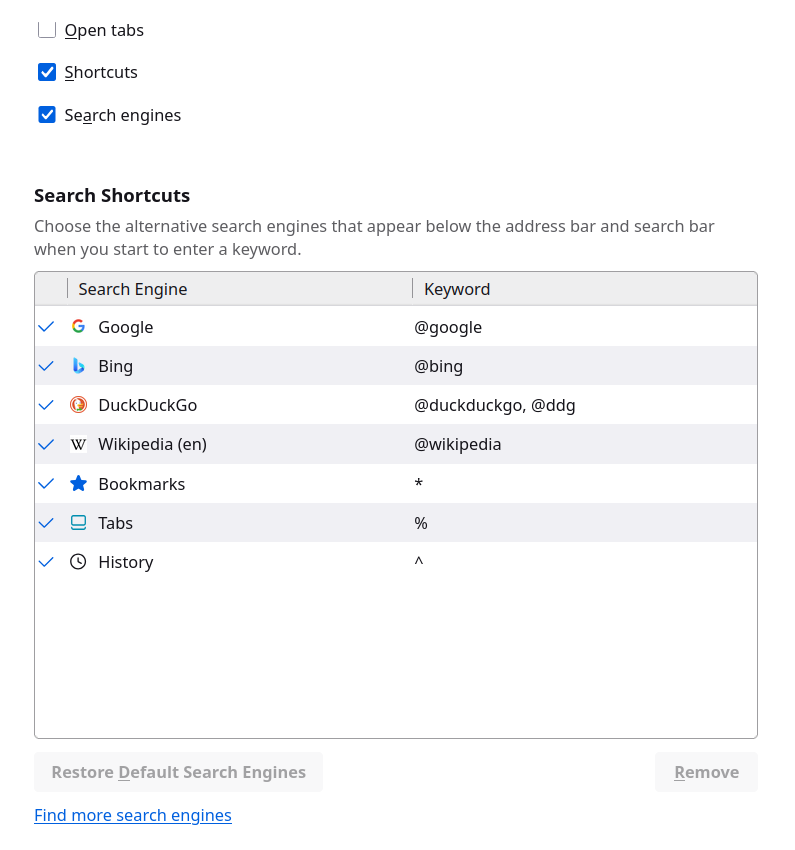
To "fix" this, go to about:config in the URL bar, and then create a new Boolean value:

browser.urlbar.update2.engineAliasRefresh
Set it to true, restart Firefox. Go back to the Settings > Search page, and now, there will be an Add button:
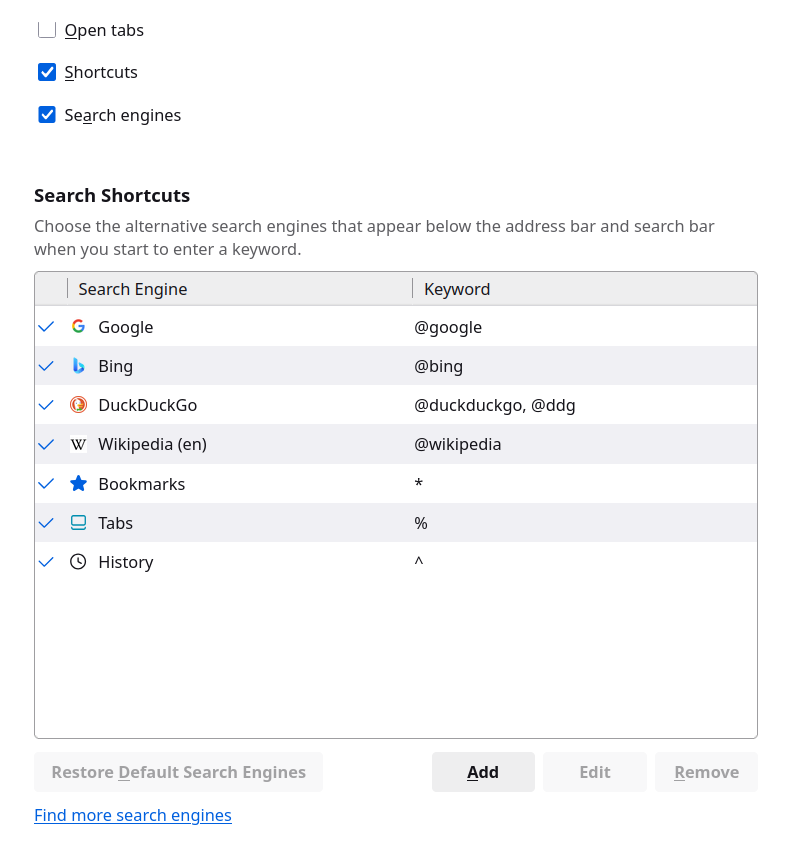
Now, click Add and fill in the information:
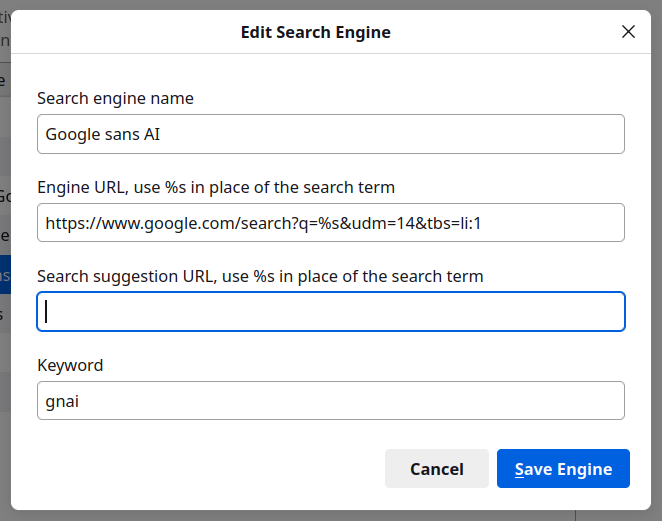
Give it a name, whatever you like. Then, in the engine URL field, paste the search line, optionally with or without tbs. You can in fact create two search engines if you want. Or as many as you like really. You can also specify the keyword to invoke the search engine (if you don't want to set it as your default).
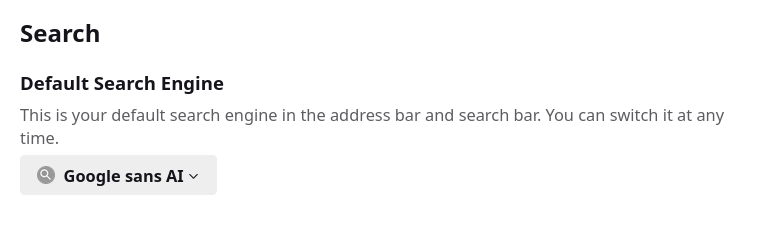
If you do, then once you save the engine, scroll up, and set it as default. From now on, any search query you make in your address bar in Firefox and/or the search box to the right of it will return results with the qualifiers you set. Job done.
Conclusion
By and large, the Internet has lost most of its charm since around 2013 or so. Alas, we must use it. If so, then at least we ought to be able to use it in a reasonable fashion. For me, that means no useless information, no visual overload, no cutesy summaries. I'm not interested in big tech doing my thinking and filtering for me. I'm not interested in low-IQ lowest common denominator information for the attention deficient. I don't care about trends. I want to read and spend time learning and figuring things on my own. Above all, I don't want inaccurate results, which is what AI summaries often do.
Luckily, for now must I add, there's an option to filter out the so-called AI stuff. Who knows, the functionality may disappear one day. Or not. At the moment, the user still has the ability to do a semblance of normal search on Google, within the limits of what modern technology allows. You won't get the old-time accuracy, but at least you won't have to contend with the new-time inaccuracy. I will be exploring other and new search engines in the coming months, so I may yet come up with some interesting revelations, or discover cool new products. For the time being, enjoy your "de-enhanced" Google search, and use Firefox, for what it's worth. In a follow-up article, we will discuss how to achieve similar results with Bing. Peace out.
Cheers.