Updated: July 15, 2024
Your favorite dinosaur reporting for duty! Blissfully optimistic and full of hope, I shall commence to test the latest edition of the Plasma desktop environment. I've tried the 6.0 release three times already, on three different systems, with varying degrees of success, and lots and lots of bugs. Most of those were caused by the underlying problems in KDE neon, the chosen test bed. But since one cannot really separate the distro from the desktop environment, the results are, ipso facto, one and the same. Meh.
In the scenarios where I was able to separate system from userspace, Plasma 6 delivered decent results. My opinion is that Plasma (version independent) is the best desktop UI for Linux, and in general, offers a really nice, slick experience. However, I'm no fanboy, and therefore, I don't just blindly accept all and every decision introduced by the KDE team, or ignore the problems that crop up in the development of the system. So far, my impression with Plasma 6 is not as stellar as it could be. Let's see what 6.1 can do. Follow me.
Second (first) impression
I started the testing with the IdeaPad 3 machine. It's a 2020 system, with an AMD processor and integrated graphics, plus a small NVMe drive. Reasonably modern, reasonably mainstream. KDE neon User Edition booted fine, without any major visual glitches during the boot process.
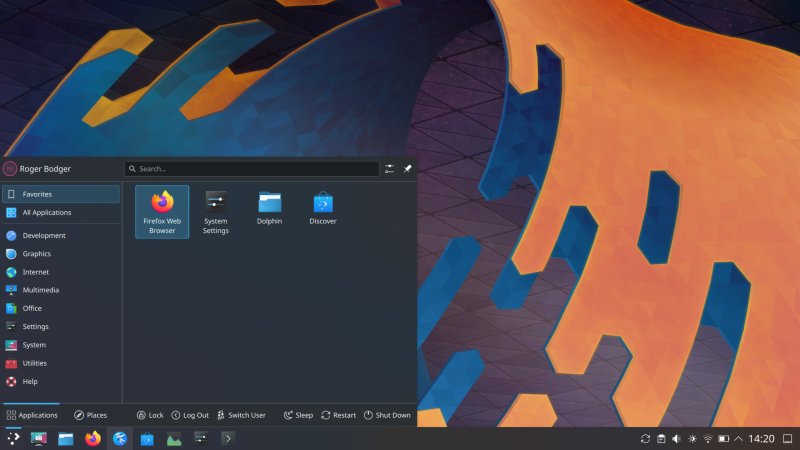
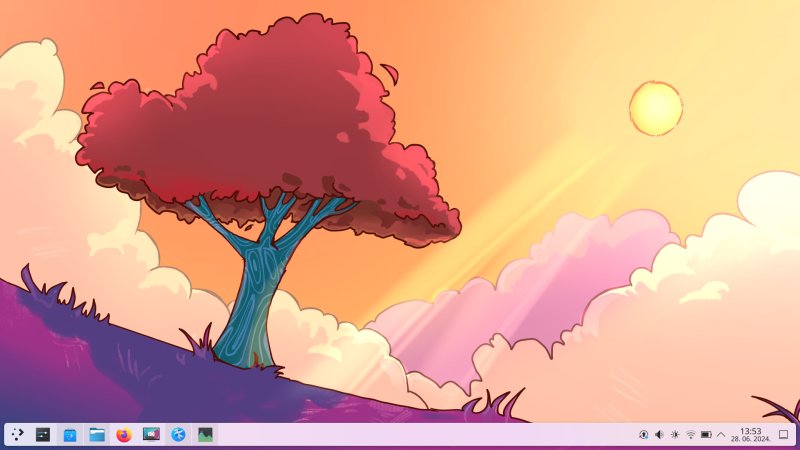
The desktop still has the cartoonish wallpaper, with jarring purple and pink colors. The floating panel makes it look even more childish. The first impression of seeing Plasma 6 is of GCompris, a (KDE) game, and furthermore, as something intended for kids, not a serious work platform. This remains in 6.1.
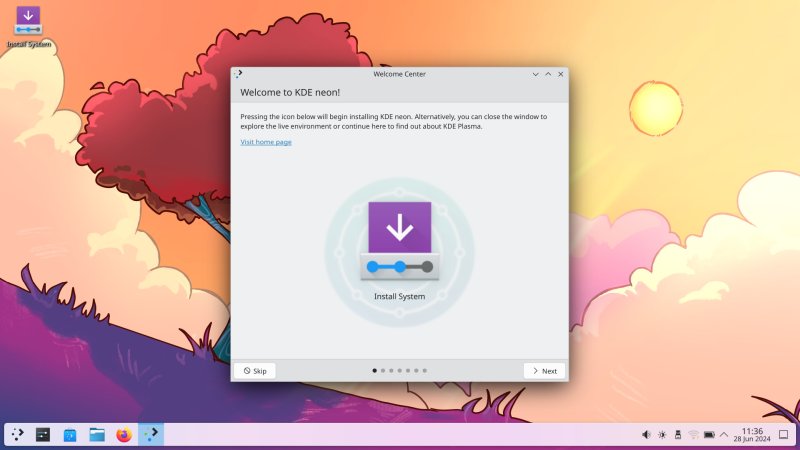
Notice the fuzzy icon text, as it happens:
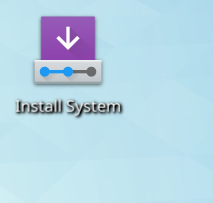
I started the installer - Calamares is simply annoying and not well designed. First, it complained about the system not being plugged into a power source, and it warmed me that some features may be disabled. What? How can an installer behave differently based on whether it's plugged in or not? How can an installation experience not be 100% deterministic?
Second, the power warning is largely bogus - my last installation on this very machine proves it. Third, if the developers are concerned about this, then the installer should not run on battery power. Simple! Fourth, it really doesn't matter, because you can always repeat the procedure, plus KDE neon does not import any user data from the underlying system (existing distros or such) or anything like that, so there's no real danger, only inconvenience at best. Oh, the wizard still reads 6.0 ...
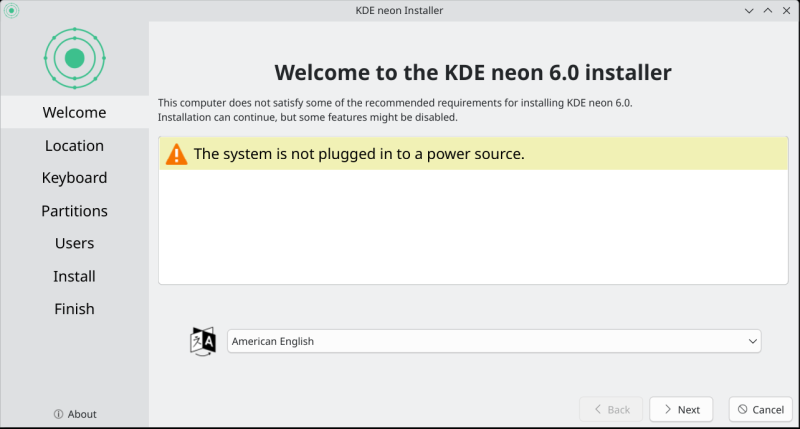
Now, notice the visual artifacts in the screenshot - taken deliberately without borders and shadows, a feature that Spectacle now (finally again) supports. Notice the right border, bottom border. Chaotic. Just to let you now, the problem will persist throughout this review, including the fully updated 6.1 system at the time of writing, and I shall provide some fresh examples of this later on.
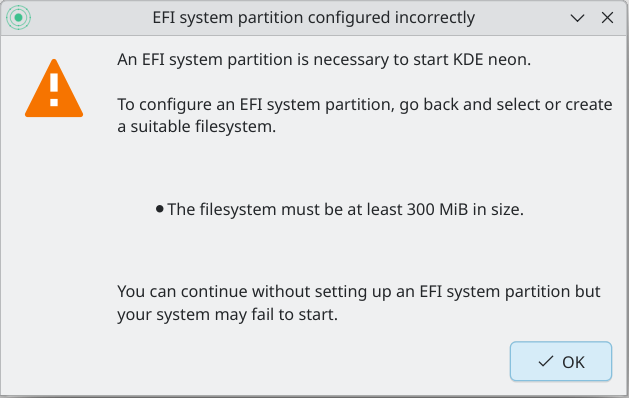
Then, for a totally arbitrary reason, Calamares warned about my EFI partition. It must be at least 300 MiB in size. No it must not. This is 100% nonsense. This is 300% nonsense. First, Kubuntu and friends have no issue with the 256MB EFI partition on this box. Second, even KDE neon installs and runs just fine "despite" these limitations. Proven multiple times over in the past. Third, what am I supposed to do, repartition my system so that KDE neon can work? Nope. If the choice is between a pointless and totally irrelevant warning/error and not using this distro, then you can guess what I will choose. This helps the KDE effort none at all. Notice the screenshot borders.
I let it install. 10 minutes. A bit slow overall, I'd say. But hey, a 2020 laptop with NVMe isn't rad enough for Linux. I mentioned this in my Kubuntu 24.04 review, and this is true for 99% of the distros out there. Pure disdain for old hardware (and mechanical disks) with a token message on how Linux is ideal for old machines. Nope. Not true at all. Only maybe Puppy, MX Linux, and a few Xfce-based arcane distros do well on ancient hardware. The rest, especially the wider systemd club, not at all.
Some other observations during the 10-minute installation wait (no encryption, mind): The default gray-on-gray is pointless, a stupid anti-ergonomic modern fad. Windows does it, Gnome 3 does it, Plasma does it, too. Breeze Classic all the way. If you cannot distinguish foreground and background UI windows, that's an ergonomic travesty.
Kate, the text editor, has gained tons of features, but now feels waaaay too busy. Remember, it's still a text editor, not an IDE. It can be, but that's not what the name says. Also, the autocomplete option is super annoying.
The Wireless connectivity was fast (instant connect/disconnect). I don't like the Screenshot
sub-folder under Pictures, but okay. Lastly, Samba speed was quite good, with excellent responsiveness
and near-zero latency. Not sure if this is the underlying random distro/kernel magic or the
improvements in Plasma. Good, still.
System installed, Plasma check commences in earnest
With the distro committed to the disk, I started playing around. Predictably, KDE neon did install and work without any issues, despite what Calamares told us about the EFI partition. As an aside, the boot sequence was clean, but it took 7 seconds to reach the login menu and another 5 seconds to a full and usable desktop. That's without disk encryption. A modern-era travesty. I will keep repeating this until my keyboard runs out. Back in 2010, I had distros with init and Upstart doing 8 second boots on MECHANICAL disks. There is ZERO reason why any modern distro ought to take more than 5 seconds to boot on NVMe storage. I mean, there is a reason. There are plenty of reasons. Sloppy coding, systemd, disregard for frugality, lack of professionalism, poor people be damned. I can think of others.
It is quite unfair of me that the KDE team ought to be the focus of my rage, because the problem extends waaaay beyond Plasma, and this is supposed to be a Plasma review. But hey, the KDE team chose their underlying operating system, and they take it for granted. It's all part of the wider, bigger problem.
My Wireless connectivity was preserved. Discover opened just 10 px short of a full view, and so there was a scrollbar there. I resized the window, by a mere 10 px, and boom, clean view. Why or how? Don't ask me.
Plasma System Monitor again!
Before we move any further, remember I told you all my woes with the Plasma System Monitor in the Kubuntu review? If you haven't read that, go there. The thing is, the "modern" monitor does a worse job than the program it was supposed to replace, KSysGuard, Typical. Here's yet another reason why it simply isn't good enough. The default desktop uses a floating task manager (a silly choice). If you open the Plasma System Monitor and full-size it, the task manager will transform itself - it will loose its partial transparency, and go flush with the display corners, as it should be. Maybe this is a deliberate choice, so the application window does not "eclipse" or "wrap" the task manager, in which case, it shows how pointless the floating option is. Or, this is another Plasma System Monitor bug.
Here are the two screenshots - Monitor minimized, Monitor maximized, three seconds apart. I should probably create a video of this, just in case anyone doubts my findings:
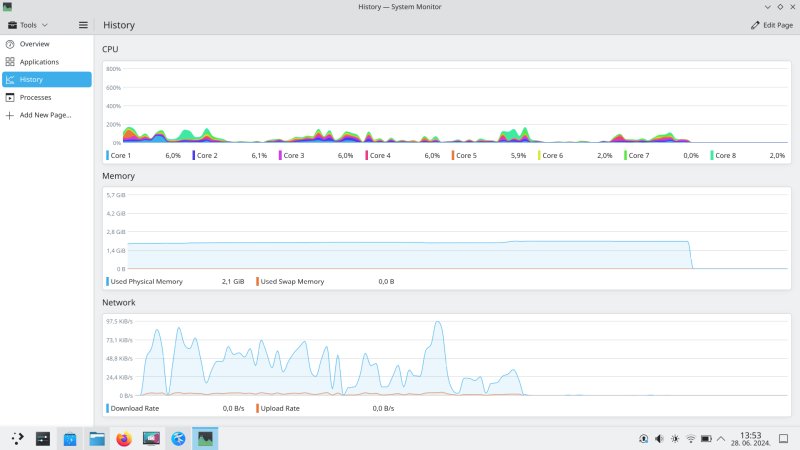
And of course, we have the stupid stacked graph for the CPU. On the plus note, the performance issues I've noted with the Plasma System Monitor are gone. No visual glitches, and the actual usage is smooth and clean, without lagging or stuttering. Good.
More visual bugs
The menu content OVERFLOWS the task manager. Look at the folder icon, the last shown entry in the menu. It's a few pixels over the line, and renders on top of the task manager. I guess this has to do with the pointless floating menu functionality or code, which shouldn't exist in the first place.
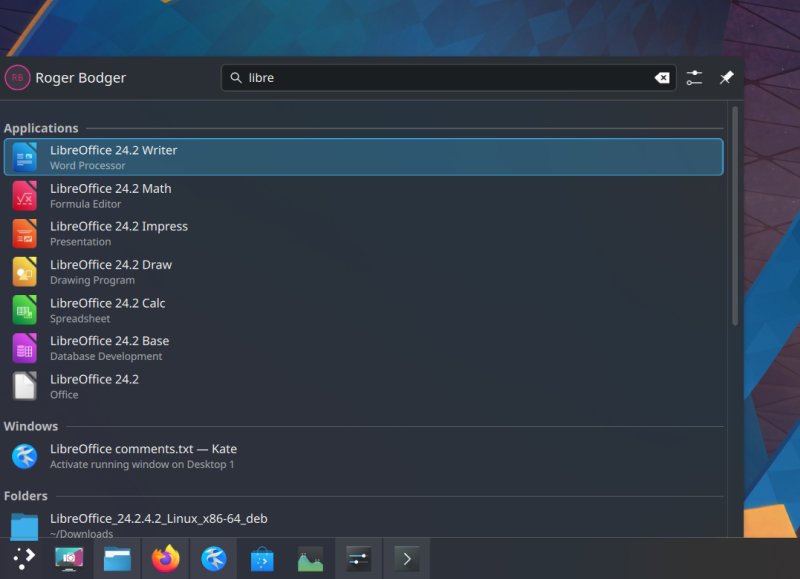
The screenshot borders again:
Whenever you click Discover (check for updates), the pinned Spectacle icon "jumps" on the floating task manager, as if to draw your attention to the program. Yes, you read it right, not the package manager, the screenshot tool. And rearranging the icons is still a chore under Wayland. The icons move randomly. Nope. Then, also with Wayland, the login screen uses one resolution and one mouse pointer size, while the desktop uses a different resolution and a different mouse pointer size. Nope.
Back to X
Yes, given all of the above, especially the icon positioning, I decided to switch to X. While the Wayland experience has improved, the performance is decent, and the visuals are largely okay, it's still an inferior choice. Linux people make fun of Microsoft and Windows for doing Windows 11 stuff, but this is exactly the same thing. Even worse, because there's the added open-source superiority complex on top of it.
We have a choice, supposedly. No, we don't. If you don't want to use Systemd, then you have maybe a dozen niche distros. If you can't use Plasma, you have Gnome 3, which doesn't even have window buttons or the Show desktop icon by default, and you need extensions for normal stuff, or you can use Xfce and MATE, which don't have proper scaling on UHD monitors. Major choice! Now, the same is happening with the half-baked Wayland solution. I am not interested in sub-par, almost-ready, 84% completed software.
Discover, UEFI shim nonsense
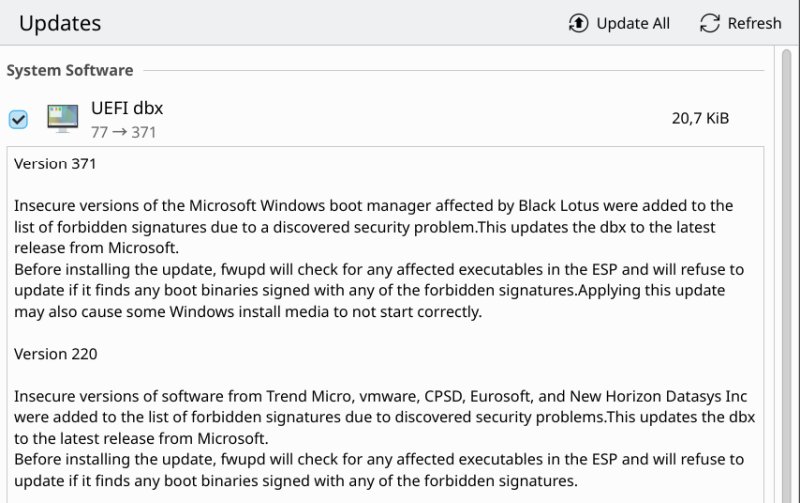
The system updates are shown as a "bundle" instead of a complete list. Yes, take the worst of Microsoft and offer it to the Linux users, but not the best. No. The firmware updates failed because the EFI partition had a bunch of old shims from my past testing. Why? Apparently, a problem with the Microsoft Windows boot manager, Black Lotus, security, drama, Hollywood, similar nonsense. Don't care. I'm not using Microsoft Windows right now, and I don't use Secure Boot at all. Total pointless nonsense.
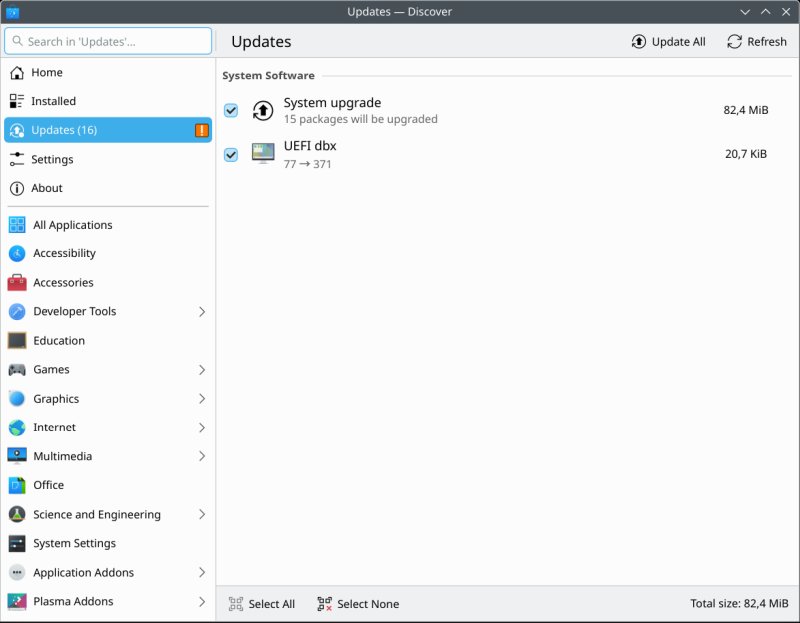
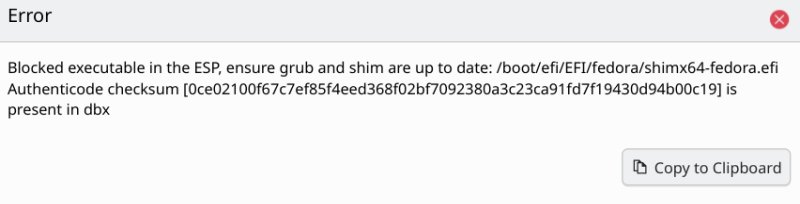
After the updates, there was a prompt to reboot. Well, the Restart icon is stuck to the task manager. Click it, reboot, it's there. You can keep rebooting until the Universe collapses.
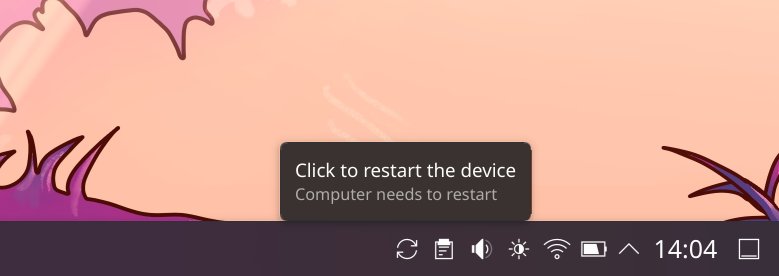
Booting, after updates
I was happy the first time around, then I got some updates. The boot sequence now is 11 seconds to the login screen, 8 seconds to the desktop, you get X.509 messages interrupting the boot splash animation 2-3 before the login screen shows. Meh.
More stuff
Peek instead of minimize to desktop, another annoying feature. The Kate session functionality doesn't work out of the box as it should, and you cannot save "unsaved" file buffers in between launches. I mean you can, but not by default.
I noticed the task manager icons are a bit fuzzy when using 137.5% scaling under X. For a couple of years, the scaling had been perfect in Plasma, including this particular factor. Well, I guess, it's time for regressions. I'm not sure you can see this in the screenshot below, as the screenshots come in full HD size regardless of the scaling factor you set for the desktop.

At the 125% scale, everything was sharp.
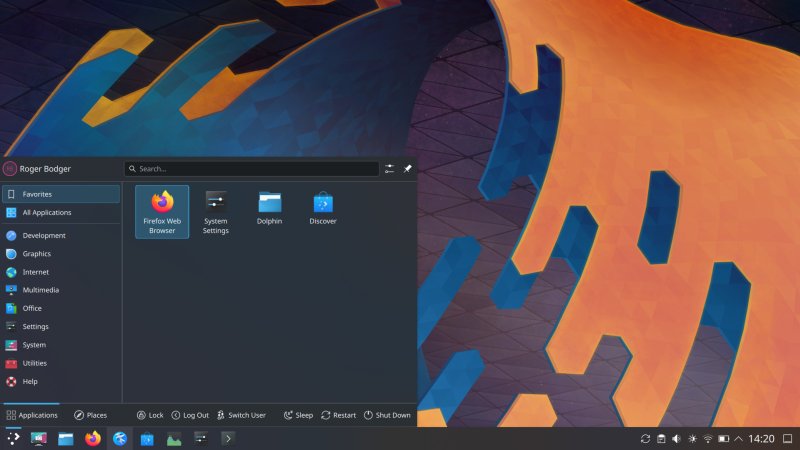
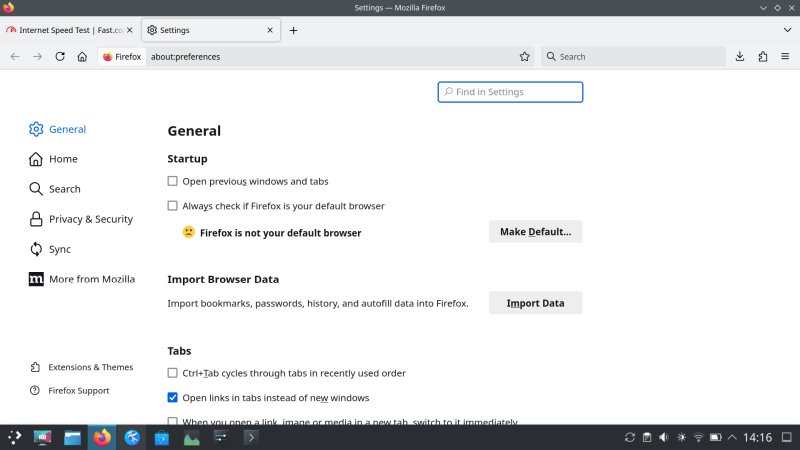
Firefox does not think it's the default browser, wut:
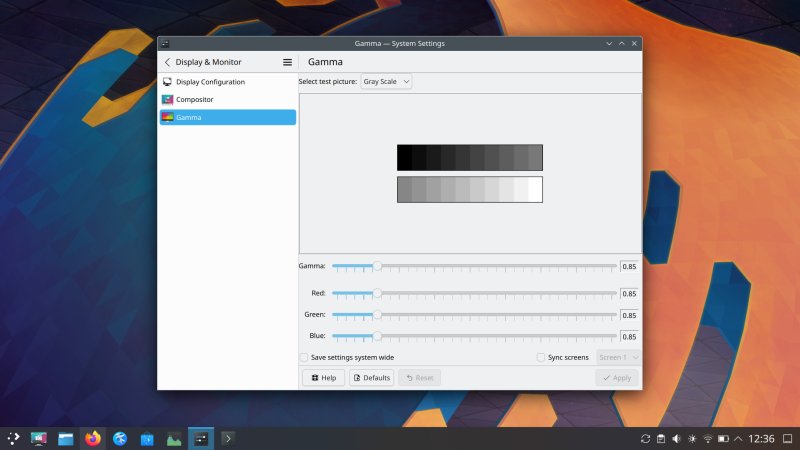
As the IdeaPad 3 has a meh display, I had to reduce the gamma somewhat. The default calibration is just too bright. You can do this under X, not under Wayland. But we already mentioned this earlier.
Other than that, the system behaved, and Plasma delivered. I mean, a pretty nice and reasonable desktop, slick, clean, beautiful. Shame about all these unnecessary bugs and regressions, shame about the totally wrong Windows approach to security, shame about the unstable system baseline that takes away from the desktop experience and makes pure Plasma testing impossible.
Conclusion
My guess is that Plasma 6.X won't hit maturity for at least another year. There's nothing wrong with that. If anything, the KDE team should be lauded for not pushing this still-beta desktop environment release onto the Kubuntu 24.04 LTS users. That would have been a disaster. You get to test the new stuff in quiet isolation, and that's totally fine. But then, the underlying system needs to be stable, robust and mature to allow the desktop to flourish. Right now, I'm quite certain, a huge portion of development effort goes into maintaining the KDE neon distro and figuring out its bugs. This is energy wasted, as it could have been invested in improvements in Plasma itself. KDE neon, on its own, simply isn't good enough. Wayland is another detriment.
On its own, Plasma 6.1 is still Plasma. It's pretty nice, and you have the infinite customization, should you want to use it. No other Linux desktop offers that. In terms of consistency, congruence and professionalism, Plasma is light years ahead of everything else. But the 6.X series has had a rough start. Way too many bugs and problems and regressions, 6.1 included. Yes, some of the issues are gone, but fresh ones have crept up in their place. I'm not feelin' the expected level of quality that I'm used to seeing in Plasma. The default visuals are also wonky, amateurish. That won't impress anyone. If anyone cares what I think, there needs to be more focus on the basics, from aesthetics to stability, and certainly no need to add Wayland and Qt 6 into the mix, at the same time. One or the other, not both. As it is, you get too many moving parts at the same time.
Plasma 6 needs to reach maturity before taking on a brand new challenge of display compositors, if ever. If you ask me, never, but hey, definitely not in parallel with the development of a complete new framework. This only makes Plasma look bad, rough, understaffed, and in a state of crisis, and most of it through no fault of its own. Linux people need to start saying NO to inferior software. The journey of mediocrity has started some 10-odd years ago, and it continues without any resistance. GRUB 2, Systemd, PulseAudio, ip and ss instead of ifconfig and netstat, Wayland, you name it. None of these offer tangible, major improvements (if any) over the old stack in the desktop space. Just more complexity, more noise. Enterprise stuff tossed on the desktop with zero regard to usability. Mediocre "modern" replacements, on their own. Anyway, looking forward to Plasma 6.2. See you around, fellas.
Cheers.