Updated: June 11, 2025
Let me describe the concepts of paradox, irony and tragedy all wrapped into one package. After roughly 25 years of being a single-tab, no-formatting, plain-as-Great-Plains text editor that no one wanted to use, and having received no love or updates from Microsoft across three or four consecutive Windows releases, Notepad is all of a sudden a shiny champion of AI. Yup. The crummy text editor has tabs, and if you read around, it now supports nerdy stuff like Markdown, and yes, there's going to be ey-aye in it. Innit to winnit, or some such.
Recently, Microsoft has been on a roll. And by a roll, I mean freefall hill tumble. Windows 11 ain't selling as much as it should, boo hoo, poor market share figures. Microsoft killed Wordpad. It introduced a new Notepad as an "app", and it's Visual Studio Code for the masses. The timing is perfect, of course, the delay minor. It's not like every user with three grams of common sense installed Notepad++, set it as their default text editor, and moved on with their merry lives. Nope. Well, my point is, if you do NOT want to use the new Notepad with its shiny AI gimmicks, you can still use the old Notepad, in Windows 11. Let me show you how.
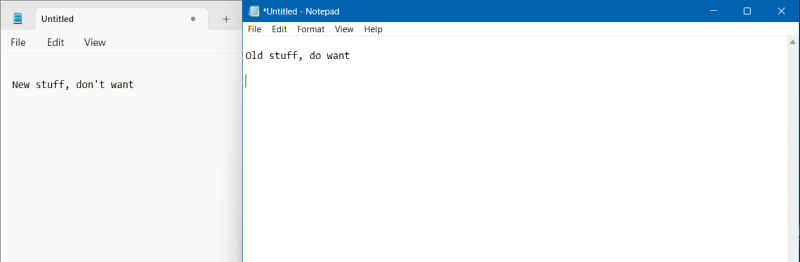
Notepad is still there (or should be)
Windows 11 includes two Notepads, the old simple one and the new "app". The old notepad is located in two places, C:\Windows\ and C:\Windows\System32, and it's called notepad.exe. The "app" is something else completely. In fact, if you don't want it, simply remove it from the installed Apps list. This won't affect your normal Notepad.
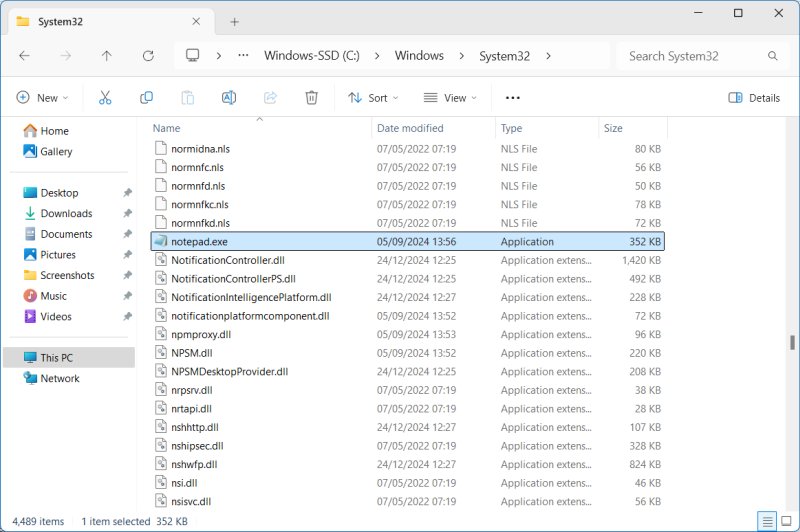
If you don't want to meddle, you simply need to tell Windows not to launch the new "app" when you want to call the old Notepad. To this end, we will need to remove an Alias. Go to Apps > Advanced app settings > App execution aliases. Toggle off Notepad.
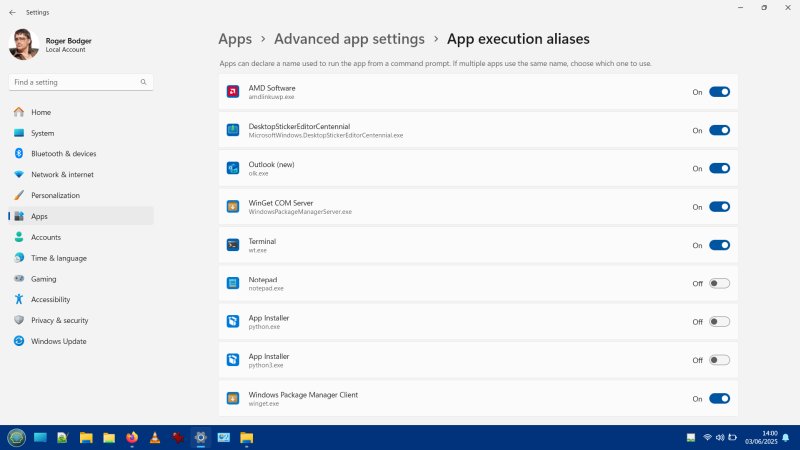
This means, when you launch Notepad, the call won't be redirected to the app. You can also disable the other nonsense app stuff, if you like. I did that, I removed all of the aliases, and then, for the sheer pleasure, I also uninstalled the vast majority of apps listed above.
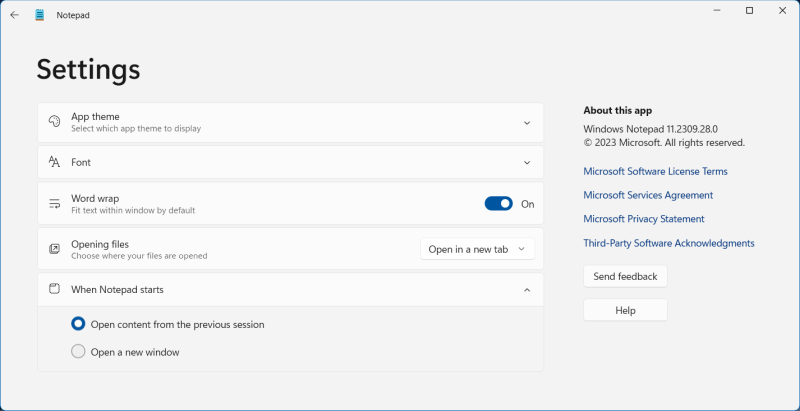
Just to be clear, this is the new stuff, with its ugly, depressing overly wide touchesque gray border that does not respect my system color accent, and you can't tell foreground and background windows apart:
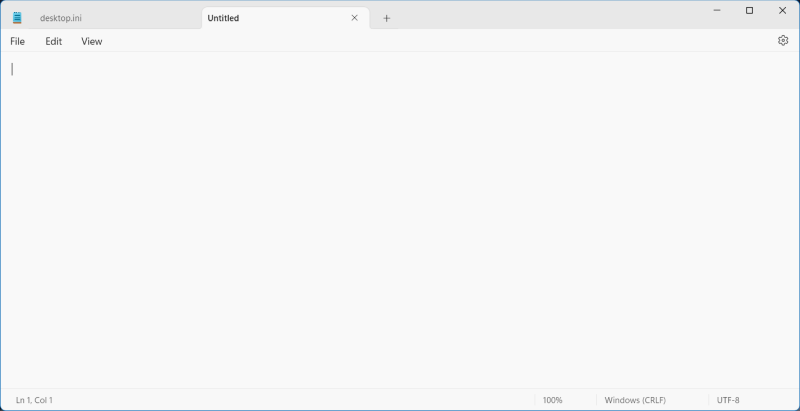
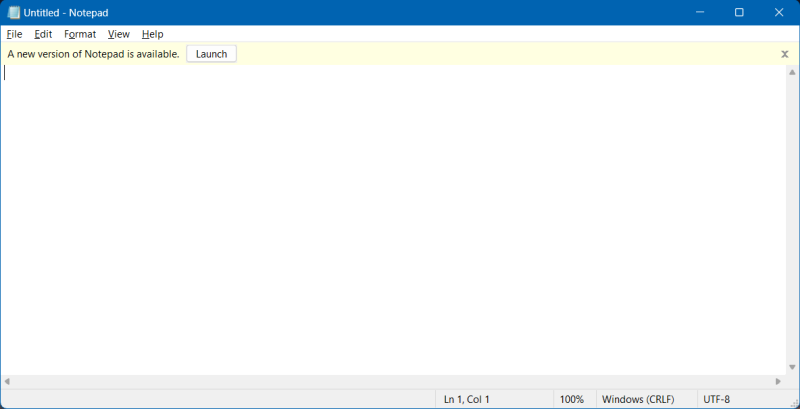
And the old program:
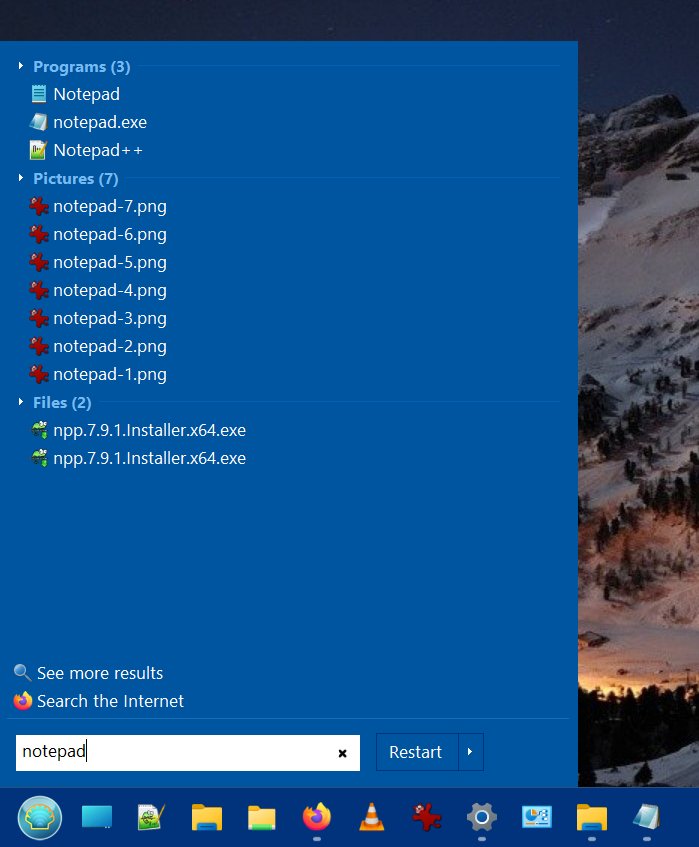
Once you get rid of the aliases, and if you use a normal menu, like say Open-Shell, and not Windows' turdy default, then you will see both programs listed there. Notice the difference in the icons. And you can pin the old one to the taskbar, if you like, to make things simpler. And along the way, try Notepad++, because it's simply better in every way. But that's a different story.
If Notepad ain't there
There is a remote possibility, if you're installing Windows 11 afresh, that the old Notepad might not be around. For anyone who's installed Windows 11 before 2023 or so, or upgraded from Windows 10, the legacy program will be available. In case you cannot find it, you can easily add it:
System > Optional Features > Add an optional feature
Notepad will be in the list, tick it, use it, enjoy it. Easy peasy, job done!
Oh, lastly, just one more tiny observation - not only are the windows borders gray in the new "app", and it doesn't respect my system color scheme, even the contrast within the app, the writing pad, so to speak, is worse than the old, classic program. It seems that "modern" apps always have to be inferior to classic desktop tools, always, in every way. A fact of life.
Conclusion
Does the new Notepad "app" have any value? Sure. Tabs. Some formatting support. Does it warrant the use of AI nonsense? Absolutely not. Also, in pure technical terms, feature for feature, the new Notepad is inferior to Notepad++ in every single way, I repeat, every single way. 100% inferior. So if you want shiny, you might as well use a completely different program. The old Notepad should be just that, a pad for crude text and nothing more. You shouldn't have to fight text formatting to do some basic copy & paste. This reminds me of the WordPress Gutenberg text copy & comments problem. Ah, the touch-inspired interfaces. They should be called interfeces. Well, a problem encountered, a problem solved. Great.
If you're one of the folks feeling ultra-indignant over the supposed demise of the old Notepad and the rise of the AI-infested "app", worry not. The old Notepad is there. If it's not installed, you can easily grab it, and then, remove the alias that launches the new app. If you want, you can keep both installed and use them as you see fit. Hopefully, this will have helped some of you. Take care.
Cheers.