Updated: April 16, 2025
For reasons many and varied, the commercial Linux desktop has never quite caught on. It's a shame, because it would be nice to run an operating system that does not treat you as an insect, and also support people who build and maintain such a system. Of course, today, nothing stops any one person from donating money to their favorite Linux distro. Here and there, you can actually go for an institutionalized payware option.
Zorin OS is one such beast. While it's based on Ubuntu, and it's largely Ubuntu, Zorin OS tries to set itself apart by offering a paid version (about EUR50), which comes with additional software, tweaks and support from the developers. Technically speaking, you can also pay for Ubuntu, if you like, or try the pro set of patches, which ought to last you a decade plus. KDE is also gearing up toward having its own commercial distro. Today, we shall focus on Zorin, and how it does its thing. Let's begin.
Live session
In this review, I tried the free option (Zorin OS 17.3 Core). It doesn't have some of the paid tier stuff, but technically skilled users can get those by and through some extra diligence. Of course, that's not the point. We all know the nerds can get by any which way they like. But normies can't, and so, extra-friendly offerings like Zorin could make sense.
I downloaded the ISO (the process failed the first time at about 90%), copied it to a USB drive, and booted the distro on my IdeaPad 3, the usual testing scapegoat. This machine comes with AMD Ryzen 5 processor plus integrated graphics, and a small NVMe disk, currently dual booting a mostly useless Windows 11 test instance and not-useless-at-all KDE neon. Zorin will take neon's place.
The boot sequence was clear, without errant text messages. Zorin OS tries to run a filesystem check. I pressed Ctrl + C too late, and had to wait for it to actually finish checking the Casper Squashfs file. This took almost five minutes, and apparently, signals are masked if and when a check starts on any which object. After that, the check stopped, and I continued with the boot up.
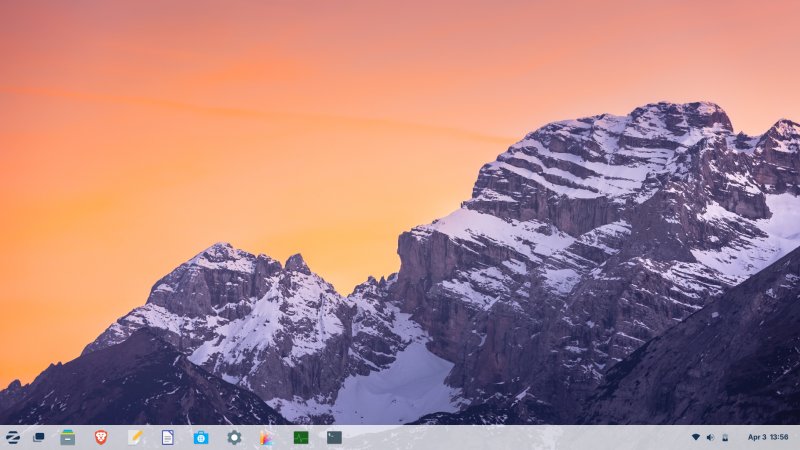
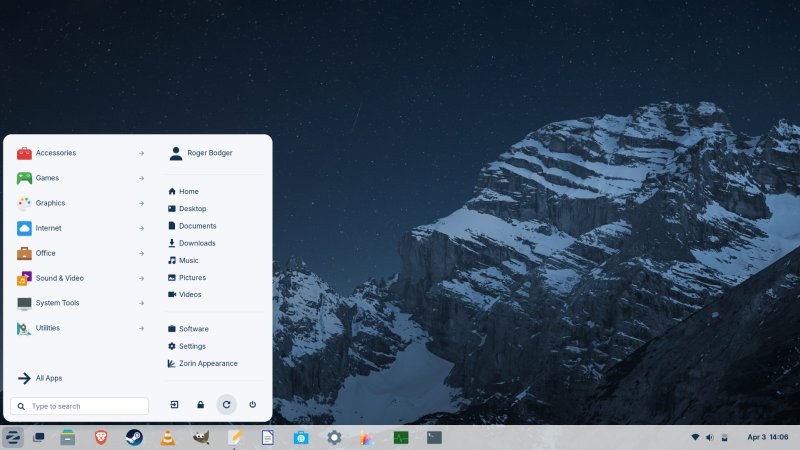
Zorin OS comes with a pretty nice layout. Gnome-wise, it is probably the most slick Gnome presentation. For one, it comes with a sane desktop layout, with a proper panel, shortcuts, desktop icons, window controls, all the good stuff you actually want and need on the desktop. A beautiful wallpaper does not hurt, either. The fonts are reasonable, too.
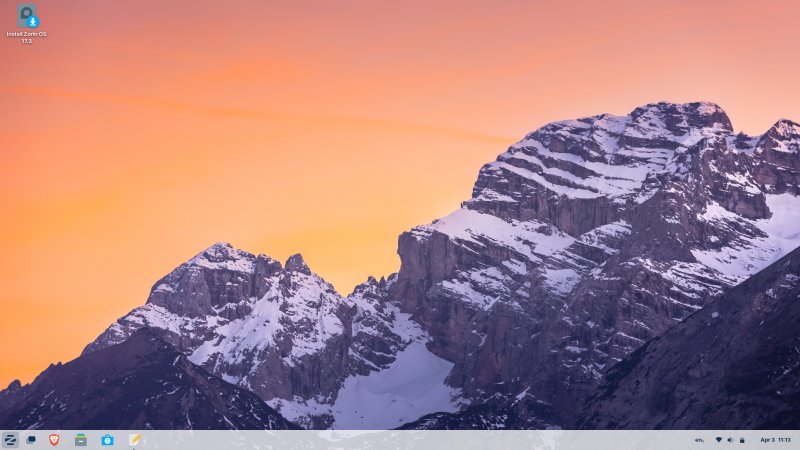
That said, the distro was a bit sluggish. In fact, quite a bit. Opening and closing windows, and even minimizing them came with a distinct visual delay and tearing. Every single time. Not sure if this is triple buffering thingie problem, or just Gnome not being optimized, which for me, was often the case (until about Gnome 38). I turned animations off, and this drastically improved the responsiveness.
As part of my review, I had to take a lot of screenshots. The built-in Gnome tool pissed me off. One, you can't pin it - you can either run it through the menu with the efficiency of a sloth, or you can hit PrtScn, and it will show up. But it's minimalistic and annoying and pointless. Two, there's no timer. Three, you can't choose where to save the files and how to name them. For this review, I had a whole bundle of almost identically named files, which is an absolute waste of time, as I had to open each one and figure out what my intent was for taking it. The whole idea of FILE NAMES is that they actually allow you to distinguish among different things.
Look and feel, bells and whistles
As I said, in my view, Gnome is an anti-ergonomic anti-desktop. Zorin tries to make up for it, but there are still lots of issues. Let me bring up both the good and the bad stuff. On the scaling front, you can turn fractional scaling right away, and chose 25% increments, if you like. The results are okay, but occasionally fuzzy.
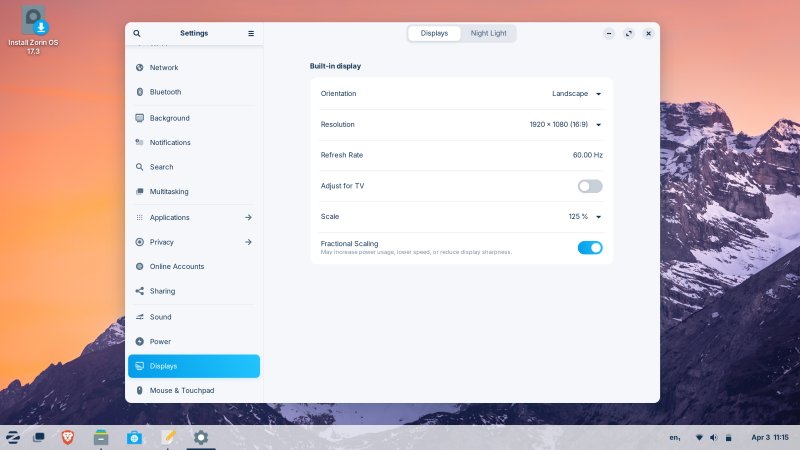
Some programs use the light theme, some use the dark. The foreground and background windows are identical in terms of color, and almost impossible to tell apart. Another ergonomic travesty. Using a color, ANY color other than off-white would help distinguish the active foreground windows from the rest.
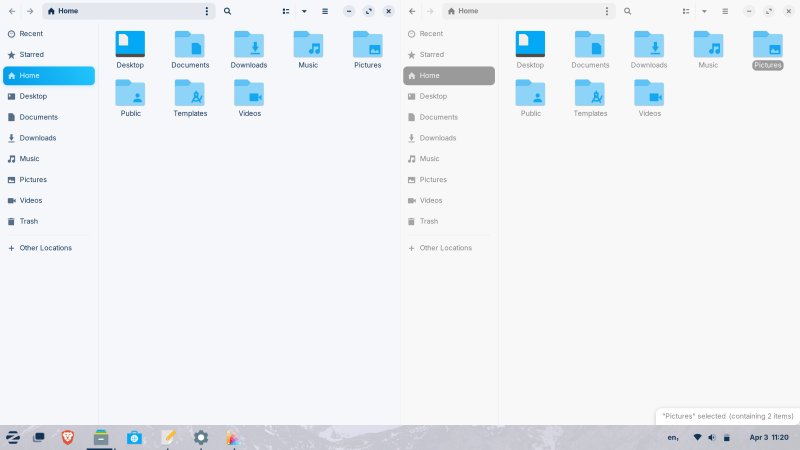
There's almost no difference between FG and BG windows. Why? Funnily the selected folder in the BG window draws more focus (including the status area tooltip) than the active window. Counterintuitive.
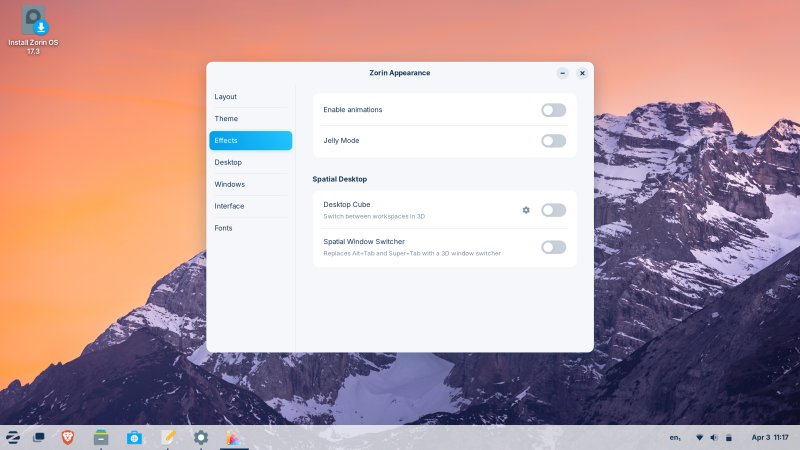
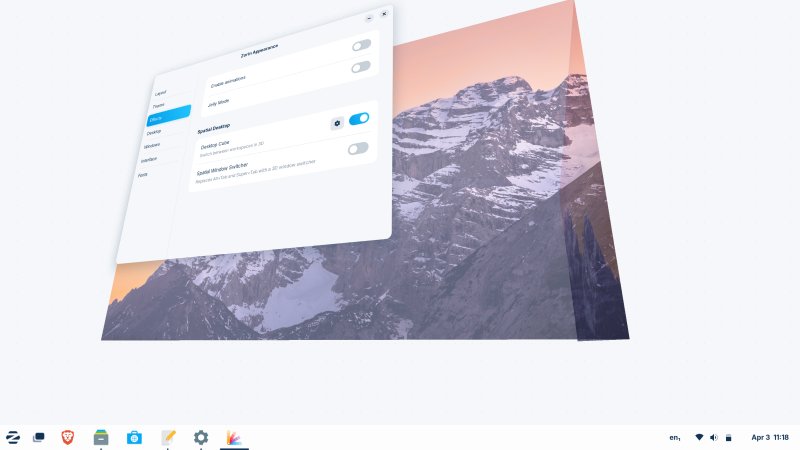
You can turn old Compiz-like effects, like wobbly windows and Desktop Cube. Ah, nostalgia. For some reason, the cube was only a two-sided half-cube, I guess because I didn't have enough virtual desktops. There is no toggle to specify how many facets you want for the "cube". But 'tis a nice touch.
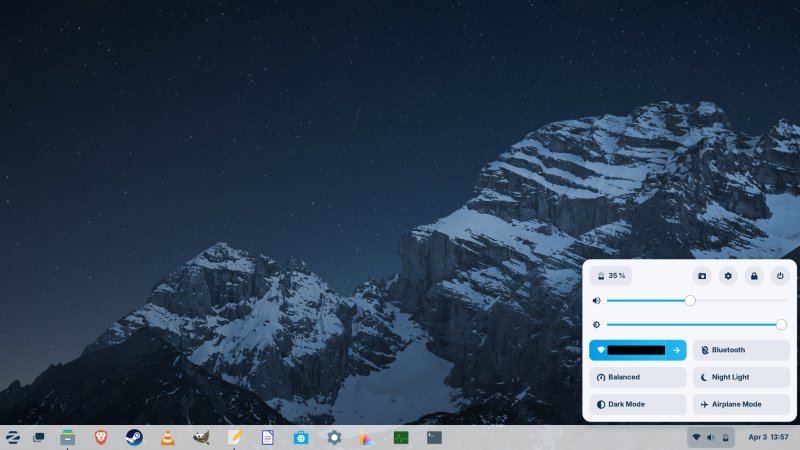
The system tray area has the same behavior like in Windows 11 - all or nothing. Pointless. I don't want to have to see the entire menu if I merely want to adjust the volume. The Wireless applet is also tricky. If you click on the big area where the access point name is shown, you will turn Wireless off and activate Airplane mode. what. Why is there a separate Airplane mode icon then? What's the point.
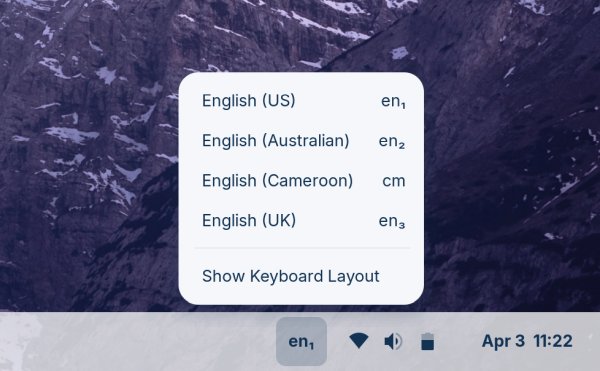
The distro also offers multiple versions of English. Not sure why. And why Cameroon and Australia are in the list, but not let's say South Africa. Notice the weird indent of the different language identifier. Each one has its own horizontal alignment, and they are all different.
There is a dark theme. Surprisingly, it's not too bad. Most distros go for gray on gray, and the results look boring and oppressive. Zorin actually uses a deeper dark gray scheme, and good contrast. The choice of the font type also helps. Now, my display on the IdeaPad is bad. Really bad. Pale, washed out colors, and normally I must use the Gamma tool (in say Plasma) to tweak the clarity, which is also why Wayland is no no for me. Here, though, the Zorin team has done a decent job, and I could actually use the desktop without my eyes hurting. It wasn't a stellar experience, but it was much better than 99% of distros out there, out of the box. If you choose the dark theme, you also get a slightly different "dark" version of the wallpaper. Nice touch.
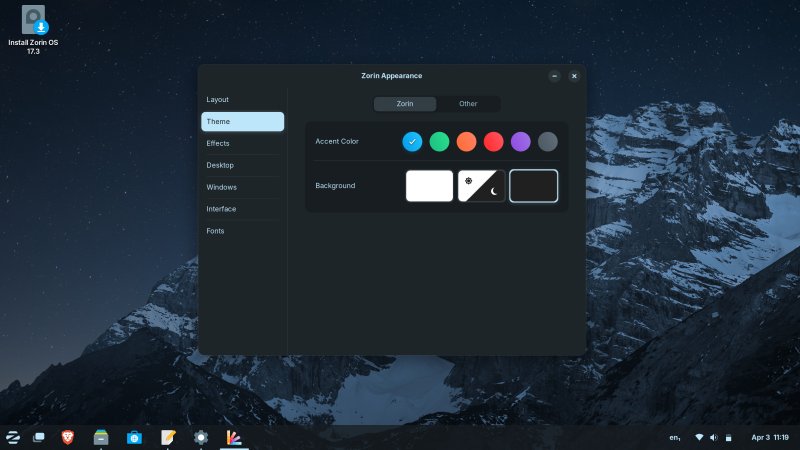
You see, I'm not against dark themes, I'm simply against POORLY DONE dark themes. Zorin does a good job.
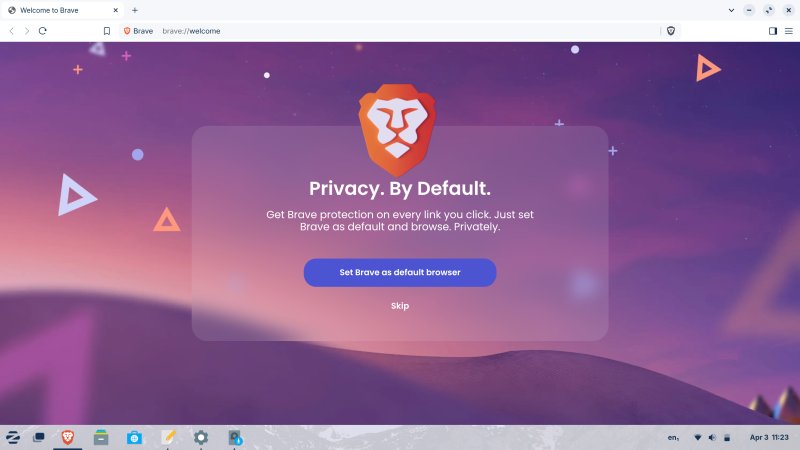
Finally, Zorin OS comes with Brave as its default browser - and only browser. Why does Brave then ask to be set as default browser if it's already that?
Installation
This was 100% Ubuntu stuff, and old installer, mind. Good, because it shows you partition information in a simple and clear way. The EFI partition is preselected, and you don't get the 300MB-size warning like Calamares does in say Kubuntu or KDE neon. A beautiful Linux (Ubuntu family) inconsistency. Bad, because encryption, RAID or LVM are not trivial, and your system will localize your setup based on the timezone even if you explicitly choose a different language. I've always hated this. I don't need my date shown in anything other than English, if I choose English as my desktop language. What's the point? Same as search engines showing their UIs in local languages, even if you use, yes, English. It's like as if you travel to a conference to a remote place and suddenly you speak the local lingo! Stupid there, stupid here.
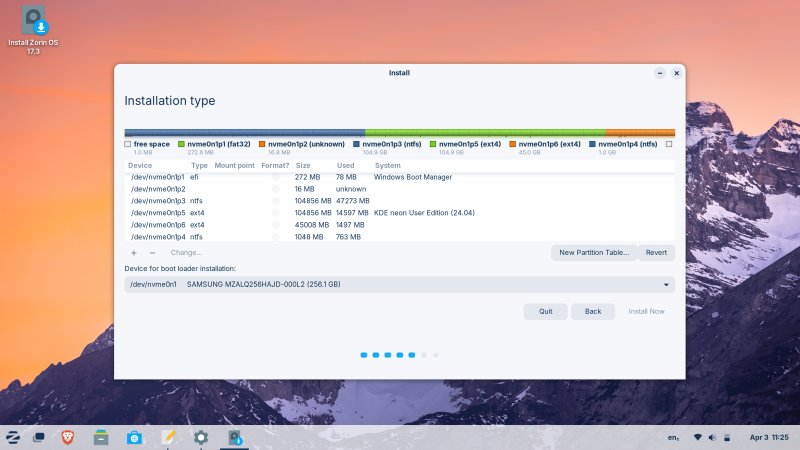
The wizard style does not align with the system's. The vertical alignment of shown partitions is such that one of the lines will be cropped by 5 px. In the entire history of this installer, not one distro/version ever bothered fixing this tiny OCD buglet.
Other than that, the installation was brisk and painless, and the dual-boot configuration works fine. So far so good. Let's see what happens when we try to use Zorin for day-to-day stuff.
Using Zorin OS
Once again, the boot sequence was clean. No silly warnings or text messages. Nice. The process takes about 16 seconds to reach the working session, which is okay, but far from spectacular. Systemd "speed", right. My Wireless configuration was preserved, but only the first access point, not the second one that I activated during the live session. Other than that, I had to recreate all of the changes and tweaks used previously.
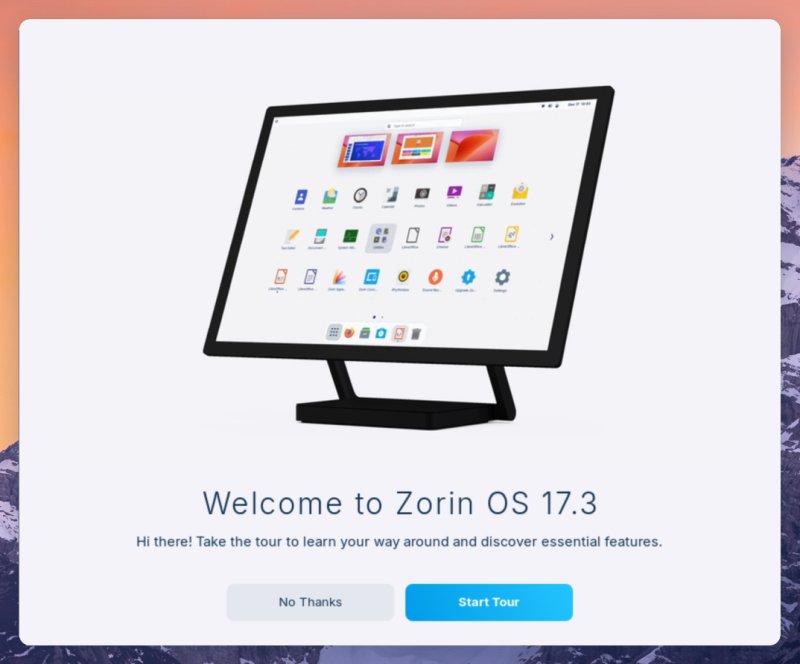
There's a nice tour, and it does the job. Here, you start to notice the definite Mac OS similarities some more. The choice of the milky white color, the blue font, the wallpaper, they have a distinct Apple-y feel, which isn't bad at all. The problem is the use of too much gray. More color is always welcome.
As a small aside, in the installed system, after every reboot, the screenshot tool "forgets" your settings, like say full screen or such, and it always starts with a rectangular area selection. Meaningless. A tool that serves no purpose.
Anyway, I like the looks. Probably the most effective Gnome setup you can have. But I hate the unified system tray, I dislike the fact power, volume and Wireless are bundled up, I dislike the fact you can Airplane your connection using two different buttons there, and finally, no Show desktop button! Yes, the shortcut works, but that's not the point.
Software management
This is the weakest link of Zorin OS - any modern distro for that matter. The whole half-store approach simply does not work. It's either a package manager or a proper store, it can't be both. The issues that affect Zorin are the same as I outlined in my openSUSE Tumbleweed review, and then some.
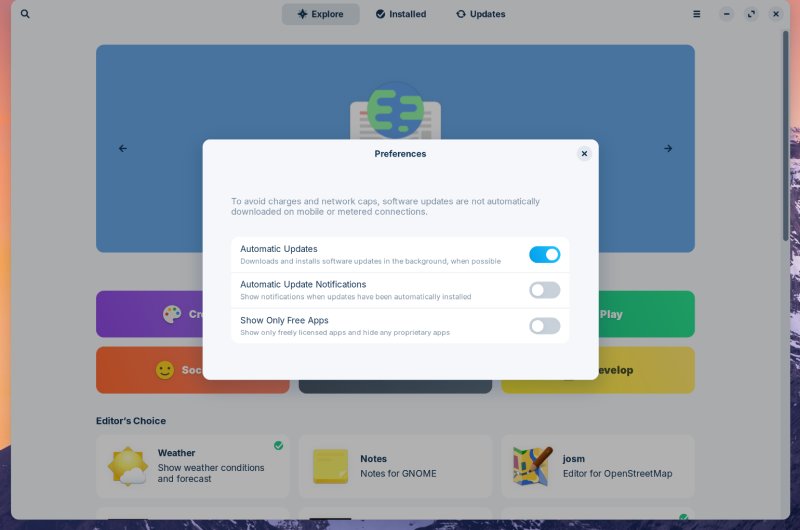
First, the Software utility is slow. It's probably stock Gnome Software, or maybe a version thereof, but it's simply awful. It took almost 20 seconds for it to populate application icon thumbnails. While I waited, it was unresponsive, and imagine what the grid looks likes without any icons. The interface is sluggish. You have some preferences, but they are rather minimal. This program nullifies all of the advantages Zorin brings to the table. Once again, it's a demonstration of a flawed baseline, as I wrote in my Ubuntu 24.10 review. Gnome isn't fun to work with, and it ain't flexible enough. And in all my testing over the years, the GUI software component was always bad, slow and boring.
So you can tweak some options, but nowhere near enough. For example, you can choose whether to show proprietary programs - but you don't have an option to filter out Flatpak and snaps. I like the fact the tool can work with multiple backends, but then we go back to the same chaos as in my Tumbleweed review. You get results for different "stores", which resides outside of the remit of the Zorin team. Your trust in the distro suddenly becomes community effort. And if you pay for the distro, how does that model translate onward?
Zorin's own sources are of course Ubuntu servers, its own, plus a bunch of PPAs. I am not entirely comfortable with this. I mean yes, for all practical purposes, PPAs are just another type of source for Deb packages, but still, it's tricky.
Here's an example. I searched for Steam:
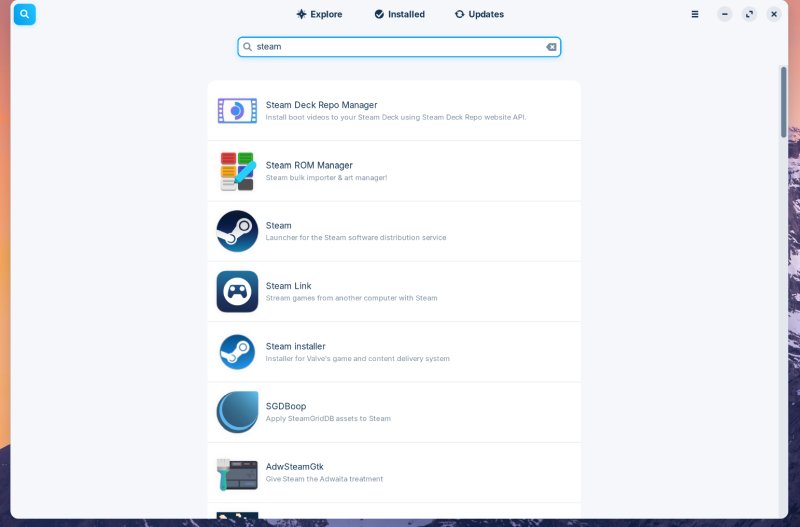
- Steam isn't the first entry, not even the second.
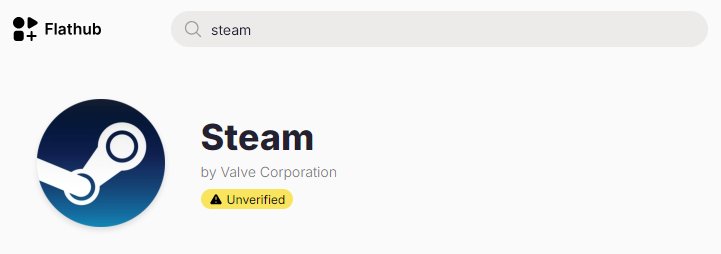
- It's third and fifth - what? Why are there two possible installers for Steam? I guess one comes from FlatHub, the other from Deb, but there's very little info to help you decide what you want or need. Which one do you choose? After all, there can be only one! In fact, is the FlatHub one verified?
- I did a manual check - Steam isn't verified on FlatHub, but it is the third entry (based on the description shown above and on the FlatHub website). This is not okay. If you followed the results, and installed the first entry, you could end up installing an unverified package on your system! Not Steam but most-likely Steam.
This is unacceptable. I want 100% integrity for my software. Why would I then use anything that gives me random results from a third-party source (respected or not), with unverified results no less! There's no toggle to separate the results, no toggle to see Debs vs. Flatpaks vs. snaps separately. In other words, apart from its bad design and sluggish responsiveness, all of this makes Zorin's software tool utterly unfit for purpose.
Another example, from the recommended section, DOSBox-X:
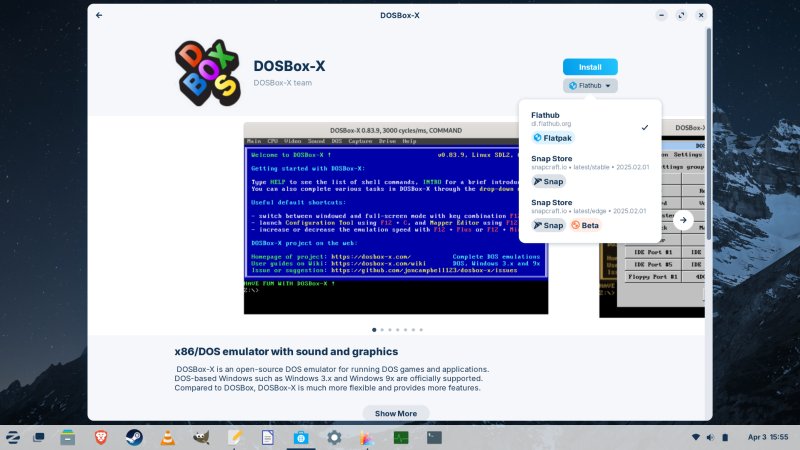
You can use Flatpak or snap (weirdly, the beta version is also shown, separately), but there's no repo version. You cannot exclude these results. This is quite annoying, especially since DOSBox is available in the archives. The triple-source functionality simply adds confusion and inconsistency.
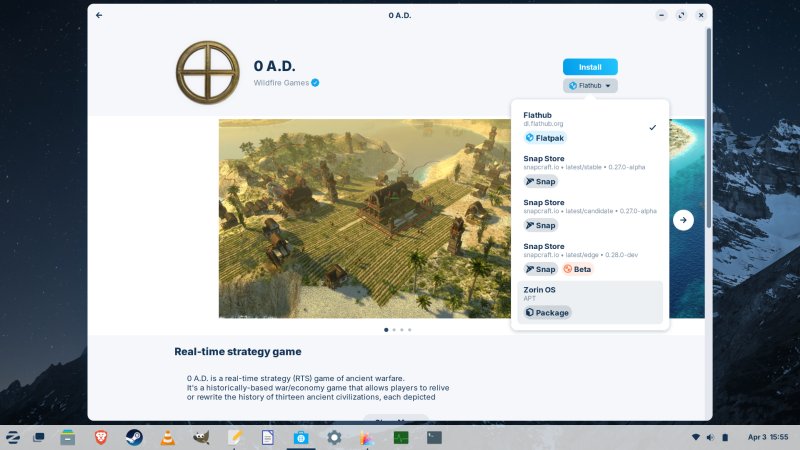
With 0 A.D., it's even worse. Five different options. Seems like FlatHub is the default. At the very least, this is a verified package, from the upstream developers - I presume that's what the checkmark means.
The update part works well, though.
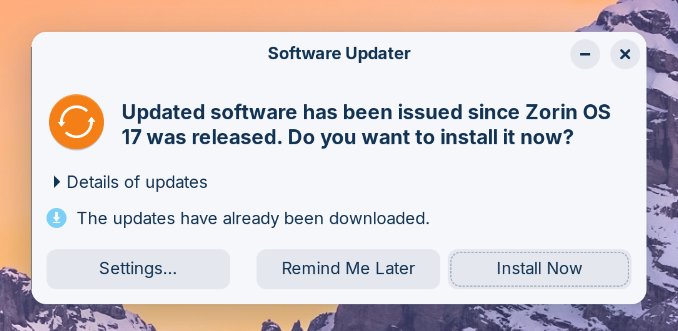
Notice the lone left border. There ain't any other.
Applications, media playback, everyday fun
The default set of programs in the free Core version is okay, but nothing special. If you're skilled enough, a quick one-liner on the command line will sort everything out. Interestingly, Zorin opts for Brave and Evolution rather than Firefox and Thunderbird. LibreOffice is there, but I had to grab VLC, Steam (Deb) and GIMP.
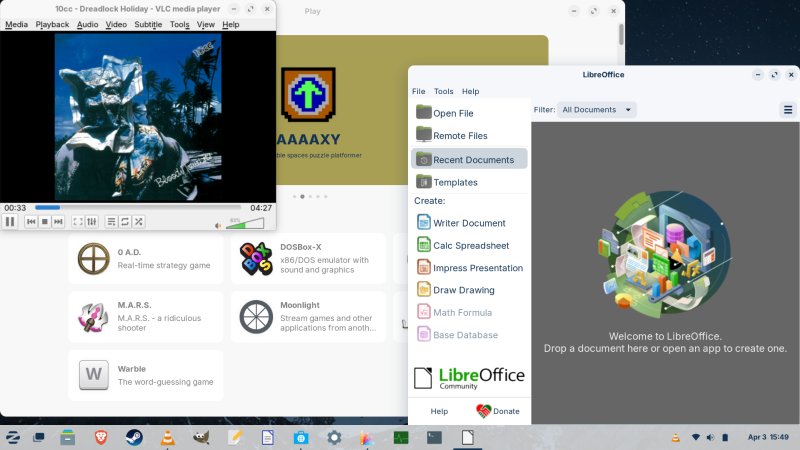
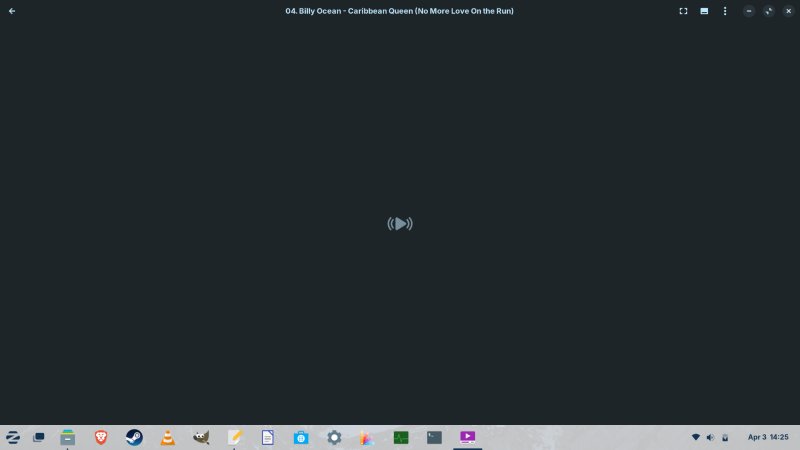
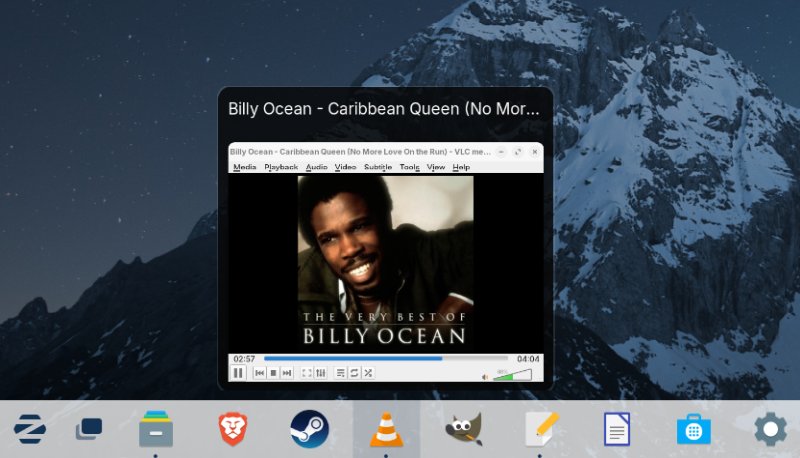
The system opened MP3 songs in Videos - not even Rhythmbox. Silly. And it didn't show the song art, either. I changed the default to VLC, and haven't bothered with either of the two default programs since.
A few other observations
There's no real indication of file copy operations. Similarly, Samba speed was slow. I mentioned Samba being quite fast and responsive in a bunch of other distros, mostly with Plasma, lately. Well, here we have a typical lovely inconsistency and regression. Ubuntu family, but your mileage may vary* kind of thing.
By default, Zorin will spread your app windows over the desktop workspace. This is somewhat erratic. For example, the tour showed up on the left side of the screen. Of all apps, you'd expect it to be centered. I removed overlay scrollbars, and the experience is so much better. Ergonomics FTW.
You can right-click and create new documents! Golly! Progress!
Performance, hardware compatibility, battery life
Well, seems like everything works, but the thing is, the battery indicator is broken. Another inconsistency among the many Ubuntu-based distros I tried on this laptop. Zorin's applet always showed only 100%, no matter what. The Fn buttons work fine and all that, but this thingie, nope.
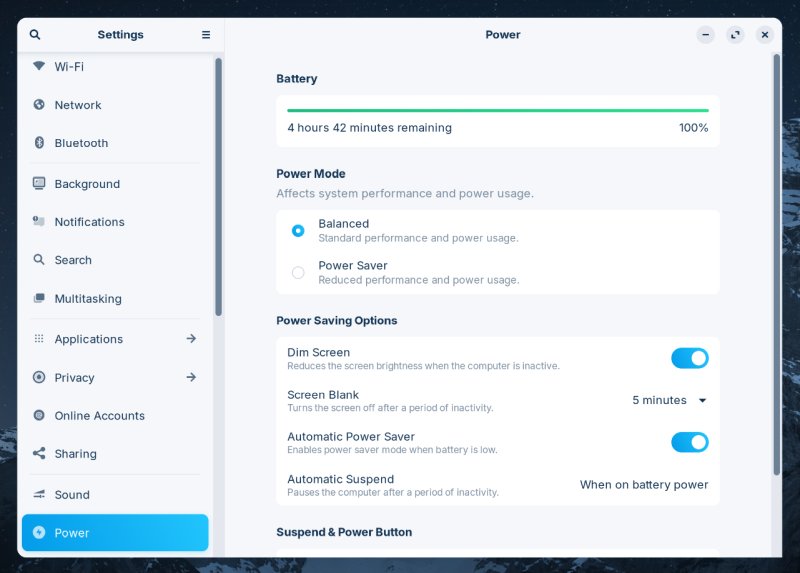
The power manager showed 100% and 4 h 42 min as time remaining forever. No change.
Compared to the live session, the responsiveness is better overall, but you still need to turn animations off if you want a good, smooth experience. In comparison, the Plasma desktop is way faster, with or without compositing enabled. Also, I believe Wayland needs compositing, whereas X11 does not.
And then, desktop effects didn't work in the installed system. No reason why. I simply couldn't cube the desktop, no matter what. We're talking a fully up-to-date Zorin OS 17 session. So, on the hardware side, things ought to be much better. My IdeaPad isn't special in any way, it's already five years old, and it comes with integrated graphics. There should be little to no reason for this misbehavior.
Conclusion
Overall, Zorin OS 17 isn't a bad system. It offers the friendliest Gnome desktop out there, which is quite commendable, although the environment still lacks in many practical aspects. Notably, the performance isn't that great. The software management is simply a mess. There's no other word to describe it, and I'm deeply unhappy with this realization. The assumption of human goodness and this almost academic illusion of altruism that permeates the Linux community simply does not hold water in the real world. From my perspective, I want to minimize my supply chain as much as possible. I don't want to rely on third-party uploads to a third-party repo shown in an opaque manner in the distro's first-level package manager. The inconsistency in the search results, the difference between GUI and command line, and a few other problems of this nature only make everything worse.
I also encountered a bunch of other problems - I mean, if you read the review, you know what they are. Flaky hardware support, limited partitioner, some visual bugs. Now, does this mean Zorin OS ain't worth its money? Well, no. I think this distro does a solid job of trying to commercialize the Linux desktop. Sure, the execution ain't perfect. But then look at PAYWARE solutions like Windows 10 and 11 and the frequent update mess, so yes, for 50 bucks or equivalent, I can forgive a few glitches here and there. At least Zorin does not treat you like a lab experiment.
In fact, Zorin OS does not go FAR enough with its offering. I would even try to bundle Ubuntu pro into the mix, so people can buy 10 years of peace and updates. I would try to bundle CodeWeavers CrossOver into the lot, or some sort of WINE and/or Proton layer (but not experimental stuff, proper supported stuff). This would make the operating system even more appealing, even if that means a higher price.
All in all, Zorin OS 17 is okay. Not amazing, but at least they are trying to make a difference. From a purely functional perspective, mission and goal and price aside, the software part remains the biggest and possibly even fatal flaw in the equation. You can't have a pro offering that relies on random third-party stuff. It simply makes no sense (even less so if you actually pay for it). Zorin is also hobbled by its choice of Ubuntu as the underlying system, for better or worse, like the partitioning stuff and whatever updates get in, bugs and improvements included. My final conclusion is, yes, if you want your distro to be ever so slightly more polished, and you want to support the effort, Zorin OS makes a lot of sense. I just wish they could fix a bunch of major problems, because they don't do the distro any favors.
Cheers.