Updated: June 4, 2025
Wait, what's wrong with you, Dedo, why would you use Bing? Ah, wait. Hear me out. Yes, Bing hardly registers on the search statistics graphs compared to Google. That said, it's not a bad search engine. In fact, it has some decent elements, most notably, the image search, as I commented in my history book article. I find this aspect of Bing's functionality much better. It also offers better, quicker clarity on image copyright and licenses.
Now, that said, like Google and friends, Bing now shows "AI summaries" when you do ordinary searches. This wouldn't be a problem, except: 1) the summaries are often incorrect 2) the passive-aggressive tone of text used by AI is intellectually aggravating 3) if I want AI, I'll use AI, I don't need it shoved down my throat regardless of its value. So, much like I've shown you how to use Google search without the AI overview nonsense, let's try to do the same thing with Bing.
Even the basics are broken
Technically, Bing has this toggle that lets you exclude AI results. Amazing, innit. Except ... it does not work. Let me show you a couple of examples. Look below, a Bing search, in Firefox, in Linux:
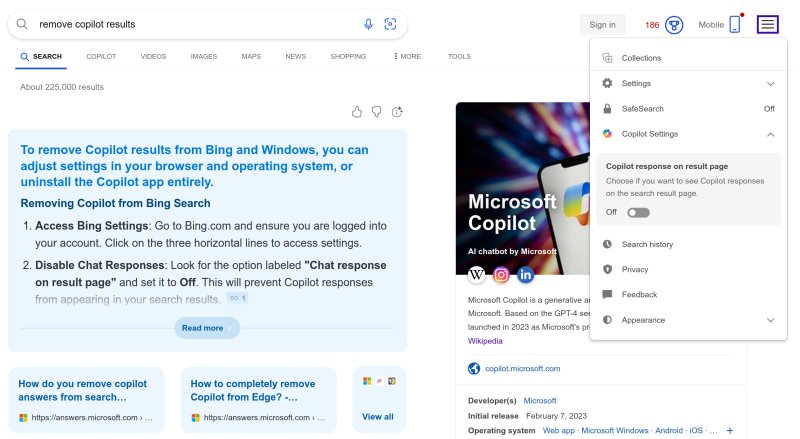
The button "Copilot response on result page" is set to Off. And yet, you get the AI results right there, highlighted in blue. And right there, you see the stupidity of this mechanism. Maybe it's only a wee bug. I don't know, but it does not work. Then, the results are utterly wrong, too:
- The big, bolded text says Bing and Windows. But I'm using Linux, not Windows.
- It says make sure you're logged into your account. I'm not logged, I don't want to be.
If Bing cannot obey its own Bing-ness, then what's the point? Oh, here's another:
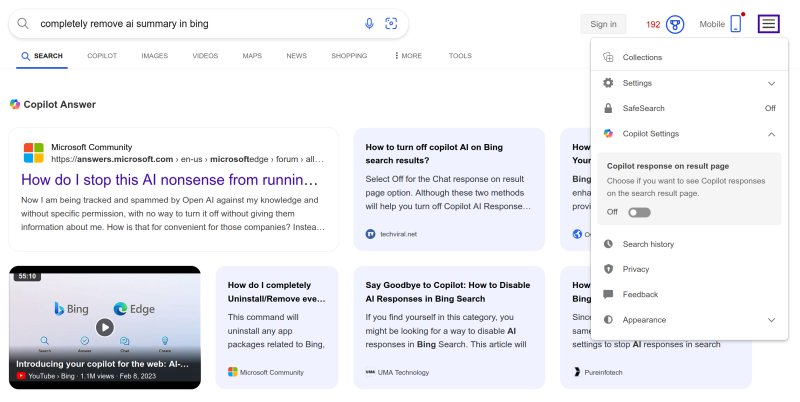
In the second example, you can see all sorts of semi-answers and cards and whatnot. I'm not interested. I want simple search, so I can then do my own reading and not randomly click on the first seemingly shiny thing like some orangutan. As it happens, all of the examples above are irrelevant, incorrect, or do not offer the answers I'm seeking. For example, one of the linked articles says "toggle off blah blah". Sure, does not work. And finally, the AI results don't have any visible hyperlinks. You don't know where you're going to end up if you click. The fundamental idea of what the Web is supposed to be is violated here.
Solution: Firefox, UBlock Origin (UBO) extension
This section here will highlight why you want Firefox, and why the good ole Manifest V2 UBO extension is so amazing, and why the big companies don't want it around anymore. It's not just about ads, it's also about your ability to change pages, and remove undesired elements. To wit, the Element picker mode. Click on the extension, and select it. The syringe-like icon, right there.
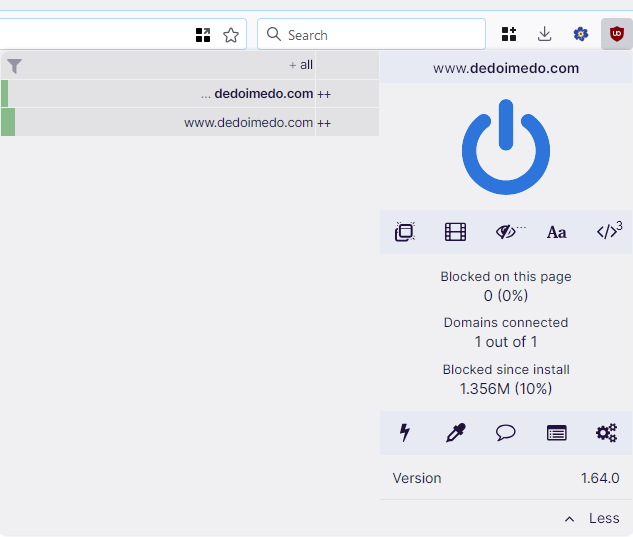
Now, do any which search on Bing, and use the Picker to "select" these AI elements. UBO will then create rules that block and remove them. For instance:
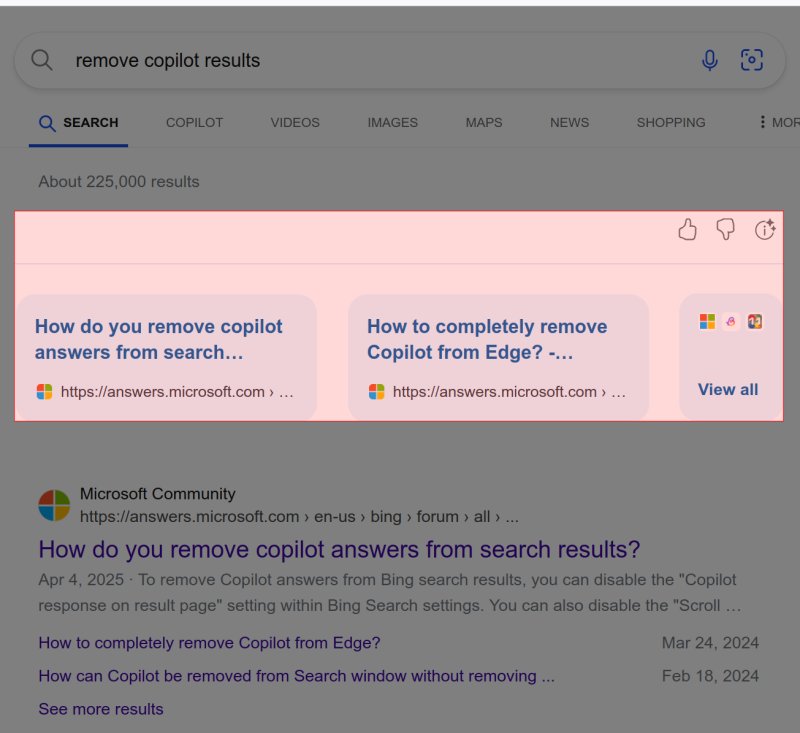
Then, create the rule. Repeat until all the AI summaries are gone:
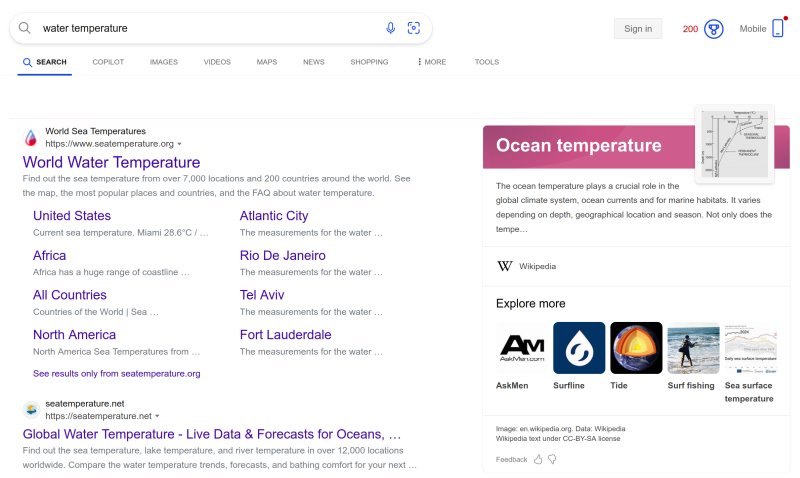
For me, the filters that did the work are:
www.bing.com##.b_genserp_container
www.bing.com##.ca_top_sec
www.bing.com##.gs_temp
www.bing.com##.gs_temp_with_iv.gs_temp_content
If you don't feel like manually picking up elements on the page, then copy these into UBO > Dashboard > My Filters. Paste these in the editor-like field. Apply changes. And then, reload the relevant pages for the filters to take effect.
It's a shame you need to resort to something like this. But I've also tried using the Bing API, and not only does it not work, it's going to be retired soon. So, the only way is brute force, it seems. Google at least lets you use actual parameters and customize the engine's behavior. Here, even the explicitly available and named toggles don't do the work, unfortunately.
Conclusion
As I stated many times before, I know the big companies are "all in" on this AI nonsense. But I don't need to play along, especially since what the popular media calls AI ain't AI. This generative thing is bad statistics. True AI is boring and hard and not user-friendly. It is being done, mind, it's just not used for regurgitative Web enjoyments of the masses. In many ways, these AI summaries are like a peddler hawking bananas, shouting at the top of his lungs. You tell him, but I wanted to buy some blueberries, good sir. And he keeps shouting bananas, bananas! Nope.
Well, Bing-wise then, since even the built-in tools don't do the job, you should use Firefox and UBO to create the filters that will clean up the search results. As it happens, this article highlights how important it is to have some level control over your so-called Internet, ergo you really should use Firefox, you really should use UBO, and you ought to resist the pointless nonsense hawked as the future whatever. Well, there you go. This is what I discovered using this search engine. Your results may vary, and if you have any other good tips, send them over. I'm gonna keep exploring various search engines, see what gives, when and how. Take care.
Cheers.