Updated: December 16, 2025
Commence to popcorn. I am quite certain this article will draw its due share of flak, praise and unrelated commentary focused on a tiny word on line 56. But as you probably know I really like the Plasma desktop environment. It's my default Linux desktop, when I use Linux, and it's awesome. Still, there are lots of issues, current and future. The implementation across Kubuntu editions isn't that good, and it's getting worse. The 6.X family is a bit meh so far, with Wayland problems and less than ideal presentation layer.
Hopefully, the recently unveiled Plasma 6.5 release will redeem KDE's hard work over the years. While my soul still harbors a lot of skepticism and disappointment toward Linux, I'd like to see the operating system succeed, on some reasonable level. The Tux ship seems rudderless, but the Plasma team is trying to break that. With some good mojo from the Steam Deck work, there just might be light at the end of the tunnel. To that end, we must take 6.5 for a spin. After me, most gingerly and grumpily, then.
Live session and installation
Let us briefly cover these two aspects of usage. Being Ubuntu-based, most of the experience of the underlying KDE neon platform will reflect its roots, for better or worse. And yet, as we have seen many many many times in the past, there can be huge differences among different Ubuntu flavors.
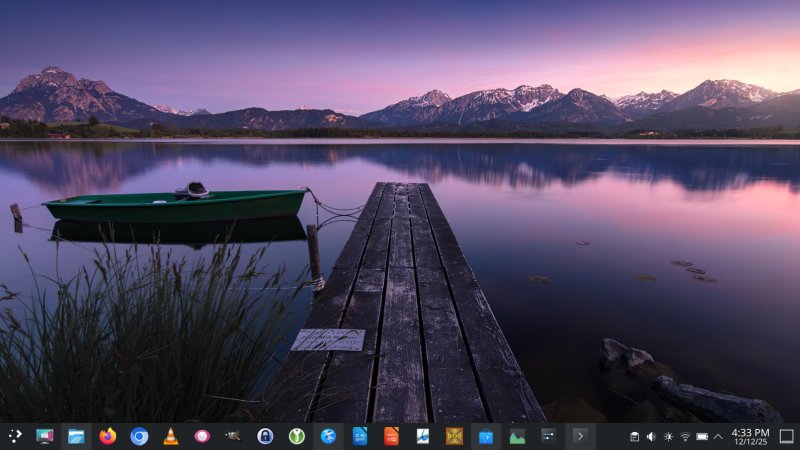
The system booted fine, but the display dimmed 100% on login (with power on). The desktop features a theme-sensitive wallpaper (not my favorite), floating panel (not my favorite), light window borders rather than ergonomically superior Breeze Classic, plus several extra-mouse-click ergonomic choices that introduce visual minimalism and functional waste. Case in point, Spectacle behaving more like macOS and Gnome rather than being its own thing, and you need extra clicks to switch among different modes. Another case in point, the unified view button in Dolphin, and from what I see, there ain't no set of three separate ones.
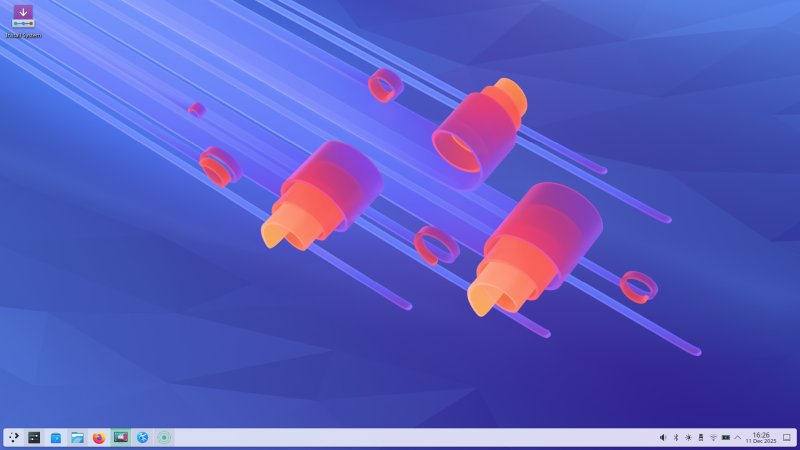
But I digress. More on this later. On purpose, I didn't do much tweaking here and now. I also left Wayland as the default, to see how it behaves. Instant impression: much better than 6.4, but I've not done any of my performance testing as I've shown you several months ago, which demonstrated X11 being superior pretty much across the board. Display scaling is 100%, the increments are set to 5%, and so far, the visuals are reasonably okay.
There were a bunch of crashes in the session, including attempts to reach Samba shares in Dolphin. The resolution is still silly. You need to add a trailing slash to the address, e.g.: smb://192.168.1.100 won't work, but smb://192.168.1.100/ will work, so take this into consideration. Also remember that I discussed this months ago, and there are bug reports on numerous forums and systems, so.
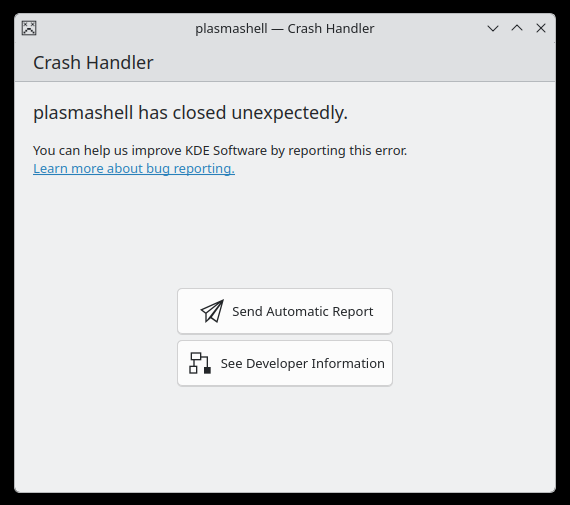
This happened when taking a rectangular screenshot.
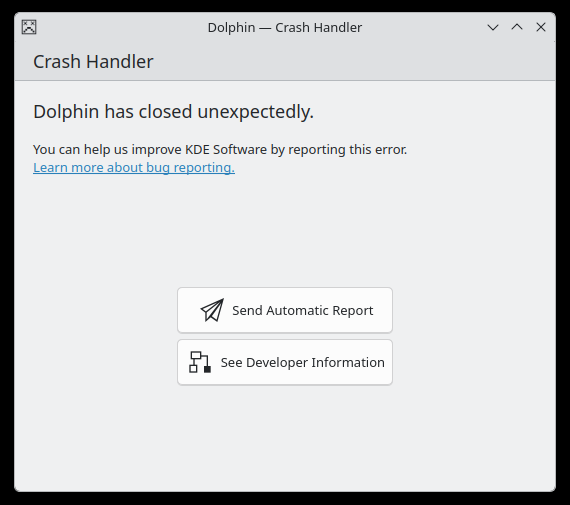
And this happened when Samba-ing.
The installer is still meh. It takes its merry seconds "finding one module", then there's the nonsense arbitrary 300 MiB EFI limitation, a few more rudimentary questions, and about 10 minutes later, the system was ready for use. As an aside, the Welcome screen jumps twice, once on login, once after the installation starts. Another old neglected problem.
Into the fray
Surprise, the boot sequence is rather clean. No erratic text messages, but the splash screen did flicker twice, and the screen dimmed once again. The Wireless credentials were preserved, but any change requires the activation of KDE Wallet. It takes about 15 seconds for the system to start up.
I spent a bit of time sorting out the system. Darker fonts, Breeze Classic borders, 135% scaling that seems to work quite well and without artifacts, non-floating and opaque panel, and such. All in all, Plasma looks the part. Very pretty. Very slick. It's starting to re-approach the old maturity from earlier Plasma LTS.
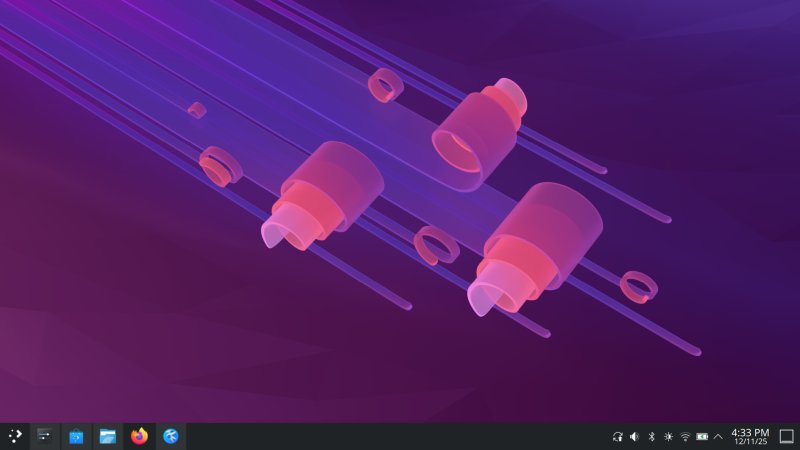
The background changed when I switched to Breeze Dark.
Wayland behavior
I decided to be as open-minded as possible. So, I believe that the Wayland implementation in Plasma 6.5 is considerably better than at any time before. A good start. One, the system was rather stable and robust, but there are some small problems - soon. Two, there is no perceptible performance and responsiveness difference between the Wayland and X11 sessions. Previously, I would always, always be able to tell those apart.
Three, the scaling works fine. Four, the icon reshuffle in the taskbar works correctly now. Finally. Five, I tested a whole bunch of programs, and everything worked, including some less than obvious choices like KeePass, KeePassXC and DOSBox. Five, windows now have PROPER borders on all sides. Six, windows are correctly preserved across sessions, including their size and position. This was never the case with Wayland before.
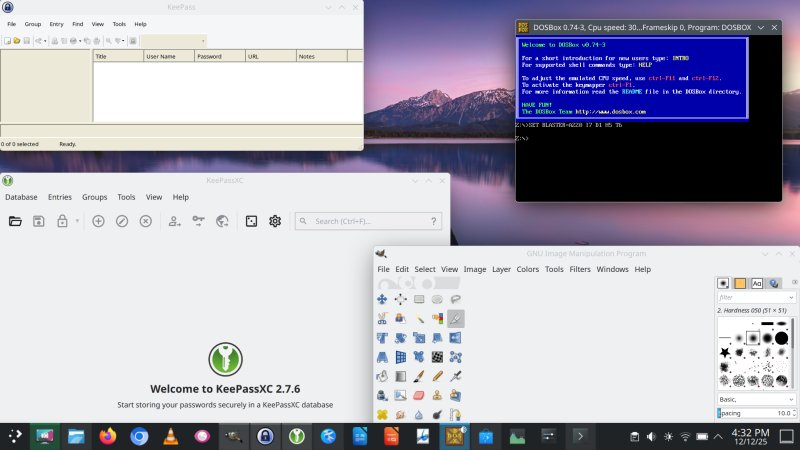
You see, I can be nice and positive, when deserved!
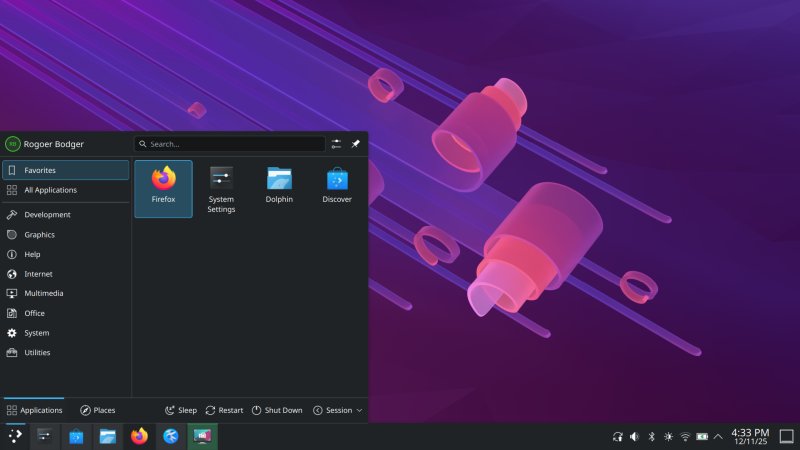
Now, the artifacts. I managed to capture the disappearing timer Spectacle icon, with Spectacle. Normally, it's gone by the time you take a screenshot, so you never see it, but this time, I managed. Not sure why, but something worth considering.
Look and feel
Plasma is nice. And pretty. And becoming more so. The 6.5 is the first release that feels "proper" in this new edition, so to speak. More coherent, more slick. Just better put together. You can also see all the window borders being correctly applied now, as I mentioned above.
Dolphin remains sort of meh, and it needs a bit of bling. Last time, people complained how I "scrunched" the window, resulting the address bar showing tiny, but it was merely to demonstrate the position of the various buttons. For some reason, people doubted my superior aesthetics. So here we go again, the default guise, and then mine with tiny changes, including a full-width status bar.
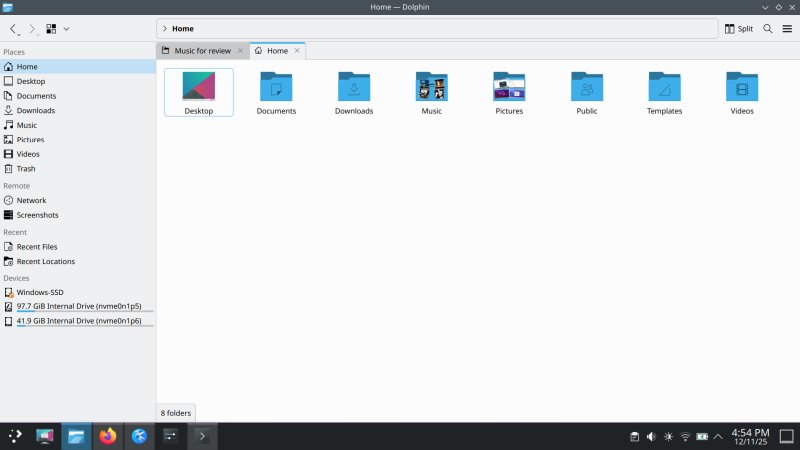
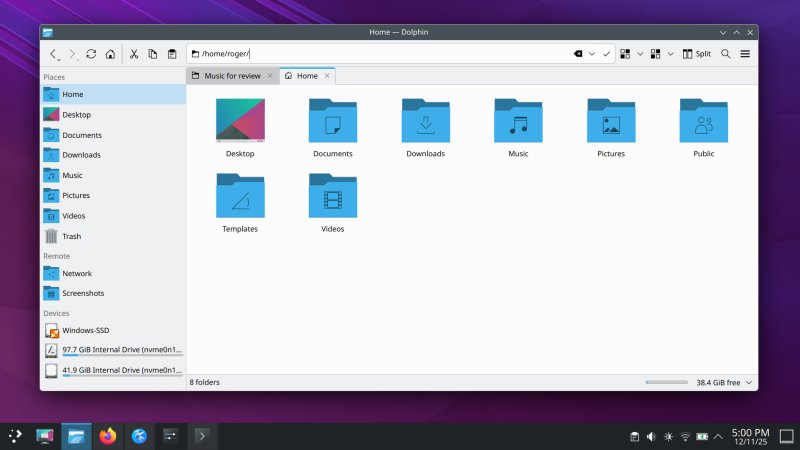
The View annoyance and extra mouse clicks problem is still there, though. Plus, there are two buttons that more or less do the same thing. But there aren't three separate buttons for the three view modes, it seems, or at least, I couldn't find them anymore. Indeed, a waste of mouse clicks.
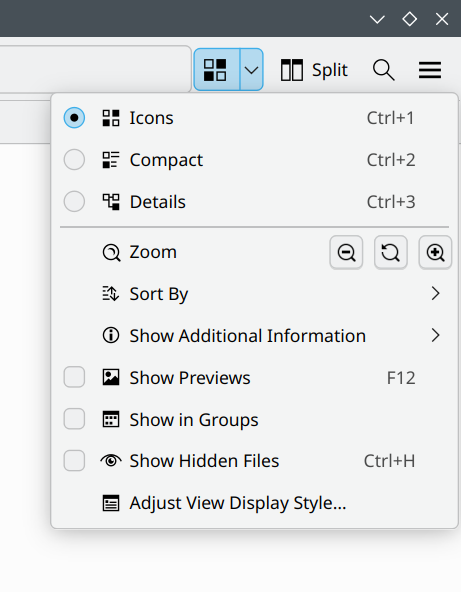
Notice the bottom border not being aligned correctly by 1-2 px. Here and below.
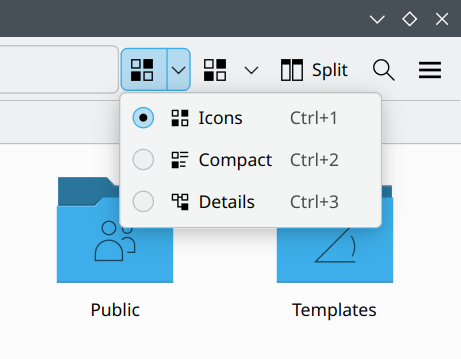
Rounded corners! I know this is a fad that gets recycled every few years, across all operating systems. And I don't see why KDE should participate in this pointless fest of would-be aesthetics, especially since the Plasma desktop feels "square". It's another element of bad adoption from rival systems, bringing inefficiency and inconsistency to the experience. A waste of mouse clicks, clunky screenshots, pale borders, now this, too. The fact everyone else does it means nothing. It's still 100% everyone being ergonomically wrong. Very simple.
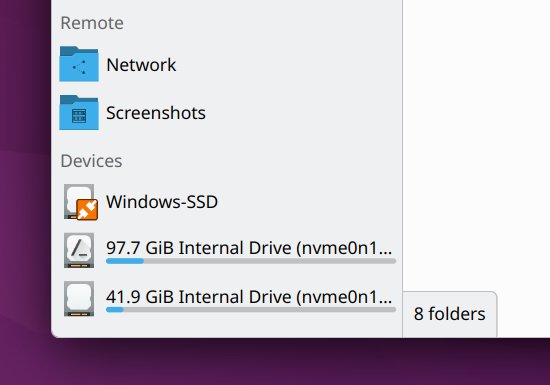
If you install software, there will be this NEW thingie shown. Not sure if this is needed, but it's not badly implemented. Still, it's a good-looking, flexible, tweakable desktop, with lots of nice features and options.
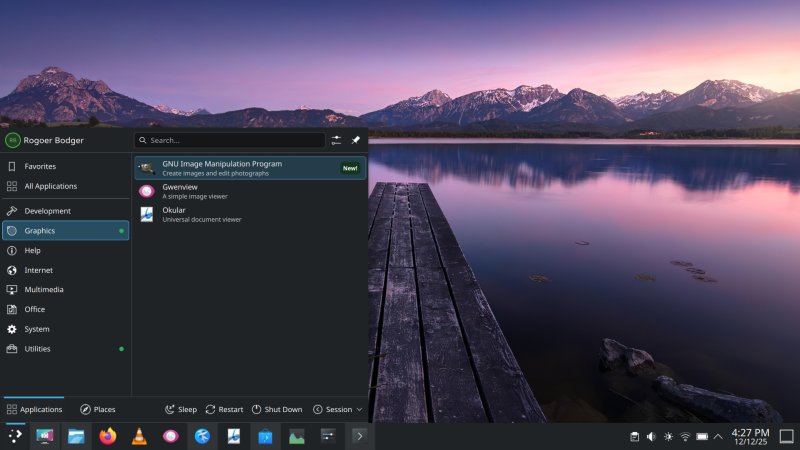
Security and pseudo-security
One interesting new addition in Plasma 6.5.3 (after a full set of updates, which we will discuss shortly) is an entire section on application permissions. This used to cover Flatpak, but now it covers all applications. The idea is quite all right actually, but I don't know if it actually also includes snaps.
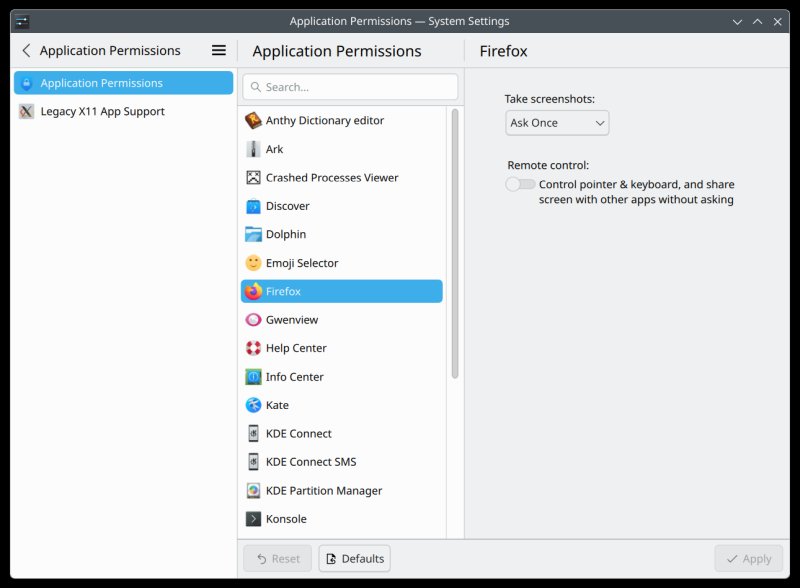
What irks me is the whole "legacy applications keystroke" scare. The ONE would-be vulnerability in X11 that is totally 100% overblown. Totally. One, there has never been such malware. Two, if you install malware, why restrict oneself to something as innocent as X11 snooping? There's an endless number of possibilities. So yes, don't install crap, and this won't be a problem, at all, like ever. And if you do install crap, then there are millions of ways to compromise the system. So, yeah, nonsense. Three, it is possible to fully and completely isolate X11 applications with firejail and lovely Xpra, as I've written recently. No issue at all. Zero.
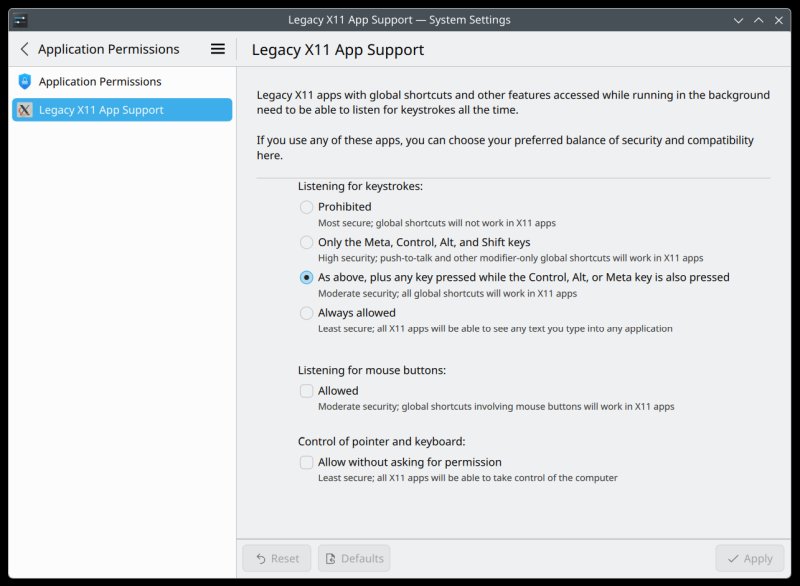
Always allow, and move on. There hasn't been a single case of this hypothetical scenario ever, and yet, it's being used as the holy grail of security for some reason, probably because there's little else to use to sell Wayland over X11. Also, keylogging can be done without X11. I can do it in C language, in about 5-10 minutes.
This brings me to applications and external stores and all that. I've written about this numerous times before, including the benchmarking article I linked above. TL;DR: you have unverified applications side by side with actual ones published by their vendors and developers, and Linux frontends serve them all almost without distinction, completely compromising any concept of security. An actual REAL vulnerability.
Discover the GUI package manager would offer these blightly across various distros. In KDE neon with Plasma 6.5.3, this does not seem to be the case anymore! You only get the official stuff. I couldn't find a toggle that controls this, so I guess, nope. Maybe on the command line? Furthermore, I guess for "rebellious" reasons, KDE neon ships with snaps disabled (the irony of using Ubuntu as the base notwithstanding), but Flathub is set up. Not only is this childish, it also does not work.
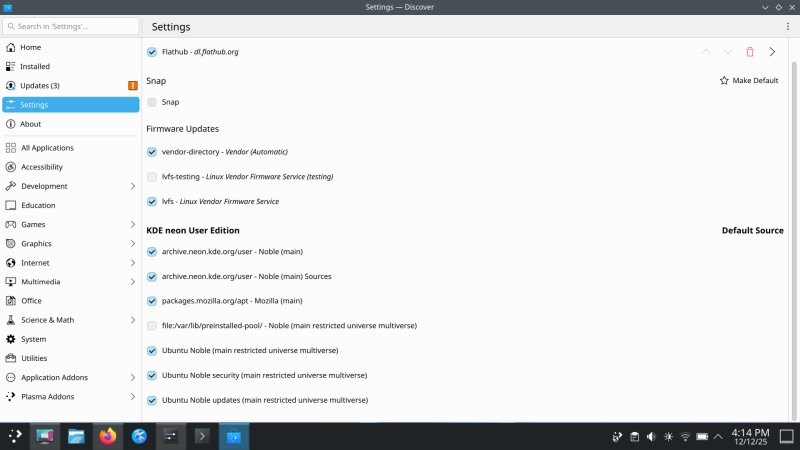
When I searched for Steam, I got one actual result - the Canonical-packaged snap. Yet, Discover shows the snap backend as not selected. So it's quite weird. Why would the package manager show software that isn't selected? Another bug? I also apt installed Chromium on the command line, and yes, it installed the snap package.
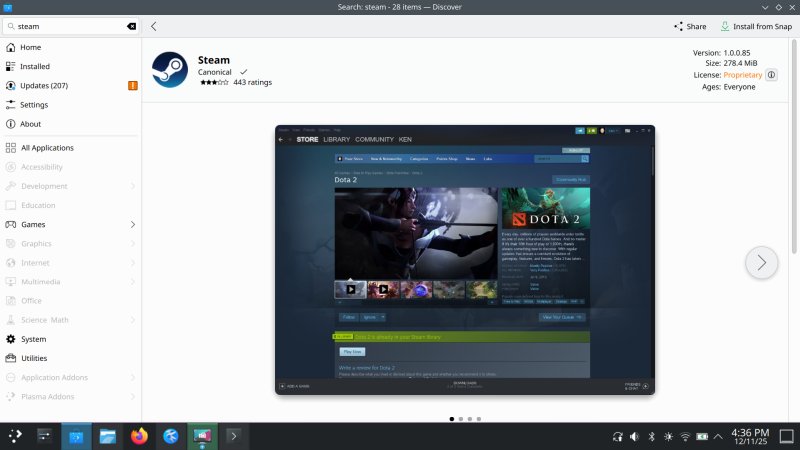
Whatever Discover "controls", it does not gate snaps, and technically, it should not, because snaps are part of the Ubuntu ecosystem, for better or worse. Also, the software management remains the weakest link of the entire experience, as it is messy, inconsistent and still totally misses the mark on what normies expect from their software stores. This is something the Linux folks still don't get. At all. Replicating the visuals of how Google and Apple do it is NOT the solution, as it happens.
If anyone ever wonders how and why, look at Steam and compare to ALL other gaming stores and platforms. There is one overriding reason why Steam is so successful, despite anything and everything. Valve offers a complete, end-to-end gaming experience. That's all there is to it.
In Linux, there is no mechanism that offers a similar experience on the application side. Nor will there be, and no amount of Flatpaks, snaps, atomic filesystems, or any other "nerdy" nomenclature will ever fix it. Once the developers figure this out, then maybe we might have some salvation in Linux. Maybe.
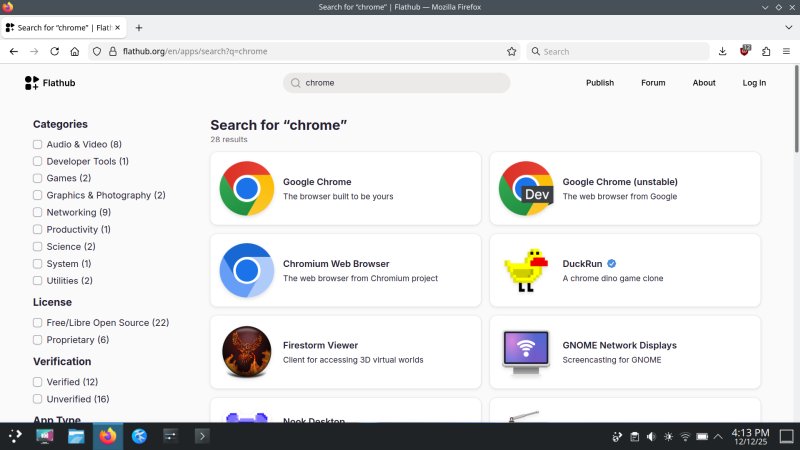
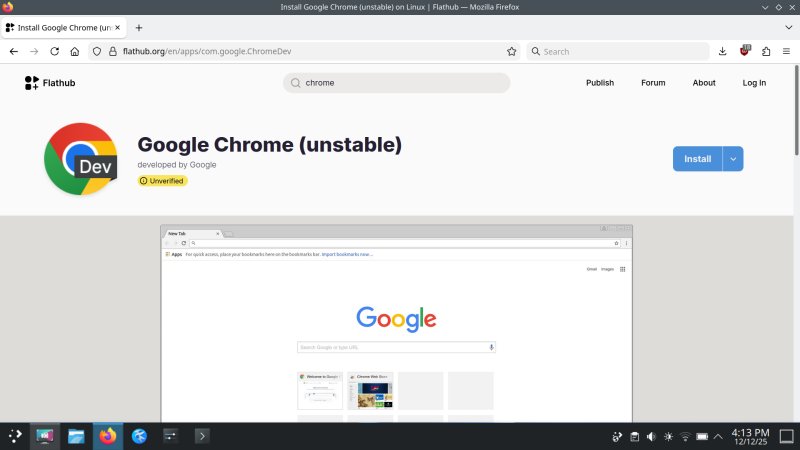
But I guess I need to repeat the message, as it does not seem to come across. A community store like Flathub cannot work, because businesses expect clear, unequivocal ownership for when things go wrong. This means the above can only remain what it is, and thus, it cannot be a real store, per se. Thus, insurmountable obstacle no.1. Paid software, another problem. Unverified software? Still a big one. For example, if you search for Chrome on Flathub, you will find the following entries. Notice the phrasing and such:
And even, if somehow this can work, it's still an external entity to Plasma. That means KDE has no control over software yonder. So, effectively, no hardware control as drivers come from Ubuntu repos, and no software control as this "comes" from a third-party store. Then, no matter what, no distro can possibly have a full stack this way, and we're back to square one. If anything, Ubuntu has some chance of success, with its own Snap Store, but this is merely a critical prerequisite. The missing end-to-end experience a-la Steam is still completely missing indeed.
The software conundrum remains unresolved. Actually, it's worse than before (10-15 years back). The old Ubuntu Software Center actually had paid apps. No tool does that in Linux today. It was supported by Canonical, an actual company. And today, with silly and reactionary rivalry between the two would-be stores, this merely means more fragmentation and confusion for the Linux users, not better software.
Another gem: updates after reboot. Nonsense. Windows-level nonsense. Since I've got meself a Macbook, I'm seeing more of these copy-paste examples. But that's mimicry without understanding. Or worse, it's copying bad elements from rival ecosystems. Like showing "system" updates as a single category a-la Windows, as if this will supposedly make it better for normies to manage their software.
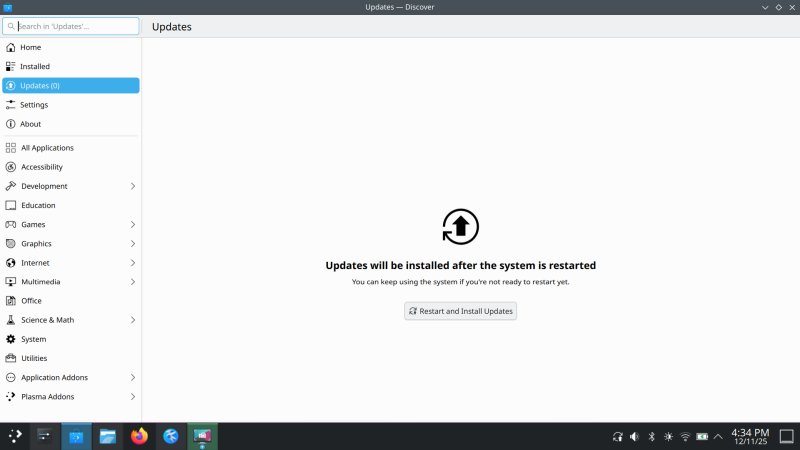
Let's quickly break this down, shall we?
- The reason Windows installs its stuff after reboot and alike is because its window manager was always an integral part of the system, and you couldn't run it without GUI. In Linux, you can and you could, and overall, this does not present any sort of real problem that "ruined" the Linux experience over the years. This is the least of Linux problems.
- Windows actually lists different packages it offers in its monthly update, and each comes with its KB article, which details all of the changes, including a complete list of files that will be changed. You don't get that in Linux, so you don't know the impact of system changes on update.
- System implies both system libraries and programs, so this makes it even more confusing. A more logical option would be to show programs separately, so someone knows: okay we're going from Firefox 142 to 143 or alike, and meaningless libraries separately as a bundle (say gstreamer4 or such). And in the last twenty odd years, Linux package managers could have introduced simple meta packages to make things simpler, but no, we don't get that. There still isn't a simple "mp3 codecs" package, for example. No, you need ugly or bad gstreamer and phonon and whatnot nonsense.
And then, I also encountered problems with apt archives - KDE neon repos introduce conflicts that do not allow certain programs to be installed, like say Calibre. And there's a difference between how Discover tallies packages and how apt does it. This is completely wrong.
The following packages have unmet dependencies:
calibre-bin : Depends: qt6-base-abi (= 6.4.2)
Problems with software ...
The above leads into another issue. The KDE team is so focused on not using snaps, their workarounds create more bugs than using this aspect of Canonical's infrastructure. Firefox, in this case. What makes it funnier is that Mozilla officially packages the snap.
Anyway, launch Firefox (which resolves to /usr/bin/firefox), and it will tell you it's not a default browser. But it is. Set it as such, and your task manager icons will go wild. The Favorites icon will also disappear, although it exists correctly in the Internet category in the menu.
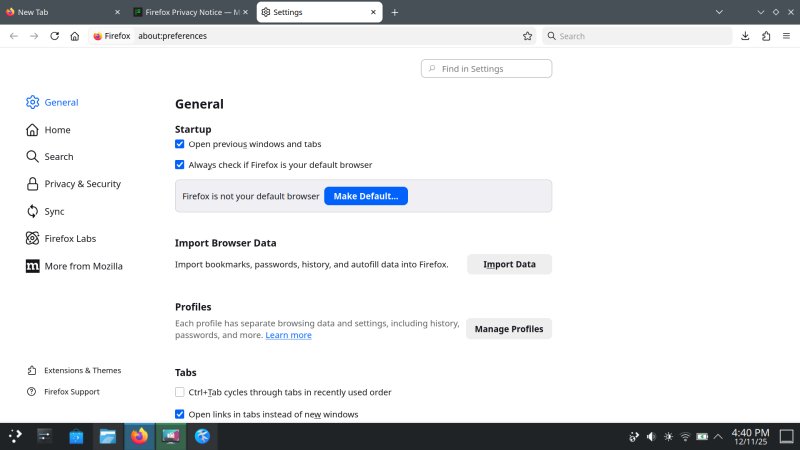
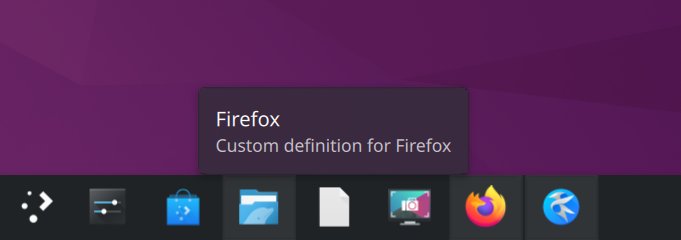
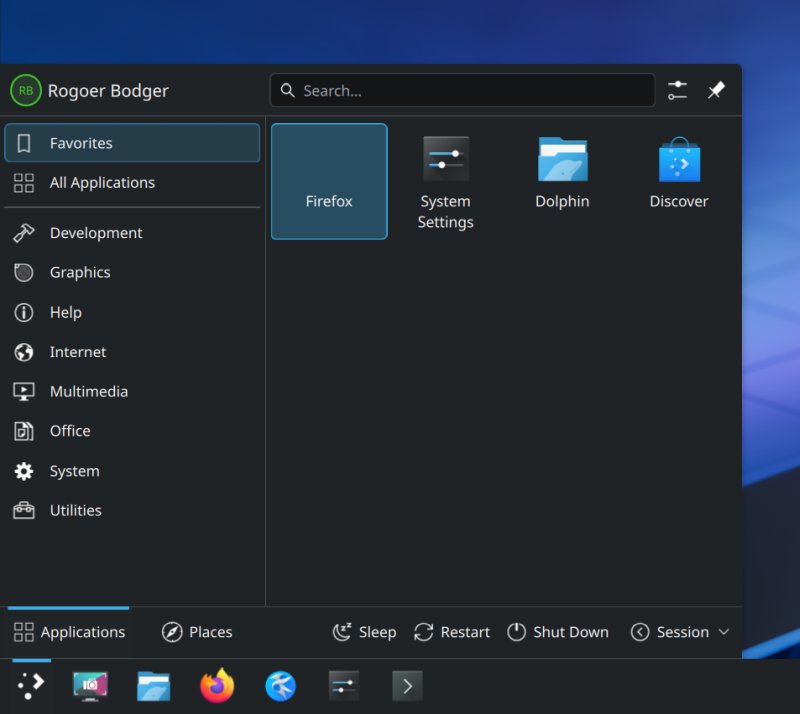
I just realized I made a mistake and incorrectly named my own user. Woe me.
The which command resolves firefox to /usr/sbin!
which firefox
/usr/sbin/firefox
Yes, /usr/sbin. This is a script that will run the snap version if present and the /usr/bin version if not. By all measures, this 100% breaks the logic and convention of what /usr/sbin is, what it represents and how it's meant to be used. But, no nonexistent X11 keyloggers and running Kate as sudo are the big problems!
cat /usr/sbin/firefox
#!/bin/sh
# SPDX-License-Identifier: GPL-3.0-only OR LicenseRef-KDE-Accepted-GPL
# SPDX-FileCopyrightText: 2019 Harald Sitter <sitter@kde.org>
if [ -x /snap/bin/firefox ]; then
exec /snap/bin/firefox "$@"
fi
exec /usr/bin/firefox "$@"
I've been writing about KDE neon + Firefox issues for years now. And they are still here. Worst of all, they are totally 100% unnecessary. These are bugs born out of hubris. Snaps, oh no. But using a baseline that offers five years of support, freely extensible to 10 years of support, we ignore that? Look, I also use Firefox from tar when I need it, and I use the snap version when it suits me, but that's my problem. If making system changes isn't easy or trivial, then, well, don't.
Let me rephrase that ... Are snaps flawed and restrictive? Yes, to some extent. Do Debian packages offer more? Yes, in some aspects. Is that a reason not to use them? The answer to that is: is Wayland flawed and restrictive? Does X11 offer more? So what's the answer then? Get it?
Anyway, back to software and whatnot. A full system update resolves the screen dimming. The Calibre dependency problem persists. Also, the Dolphin Samba crash sans trailing slash is still there, with the following verbiage:
org.kde.dolphin: Could not load default global viewproperties
ASSERT: "!listers.isEmpty()" in file ./src/core/kcoredirlister.cpp, line 1681
KCrash: Application 'dolphin' crashing... crashRecursionCounter = 2
Aborted (core dumped)
Performance, responsiveness
I did all of the testing with Wayland, plus a quick dash into an X11 session, for comparison. I can report that the KDE team has done a lot of work. The System Monitor still reads 100% GPU spikes, but as I've shown you in my series of benchmarks (linked earlier in the article), this program is a big resource hog of its own, and it's not very reliable in terms of data precision, much like Gnome System Monitor has similar problems in the namesake desktop environment. All of this is outlined in my KDE neon and Fedora articles.
That said, Plasma's utility is now less of a hog, and it will also show GPU data, plus separate CPU graphs, aggregated and per core. And finally, finally, the graphs are capped at 100%, which actually makes sense instead of the multiples of however many logical cores the system may have.
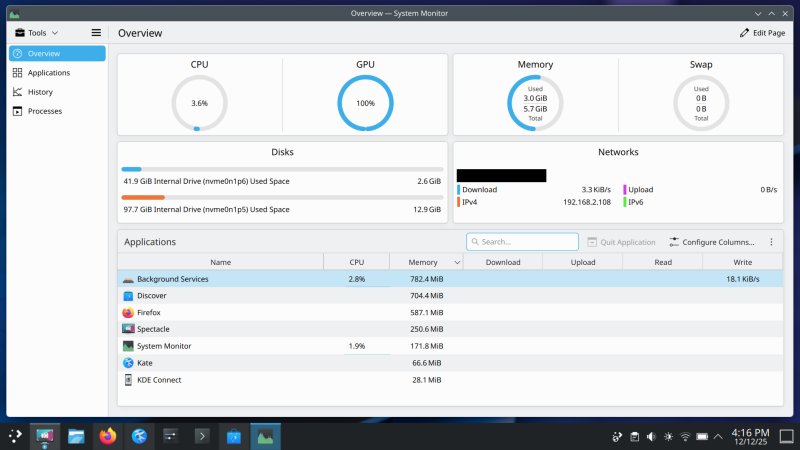
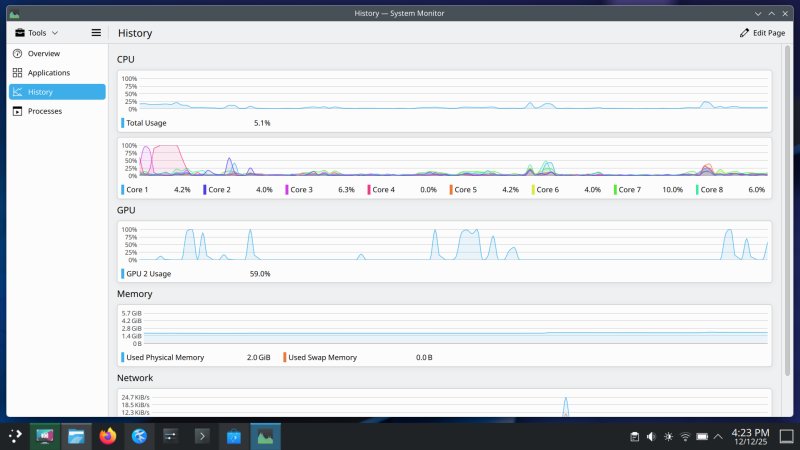
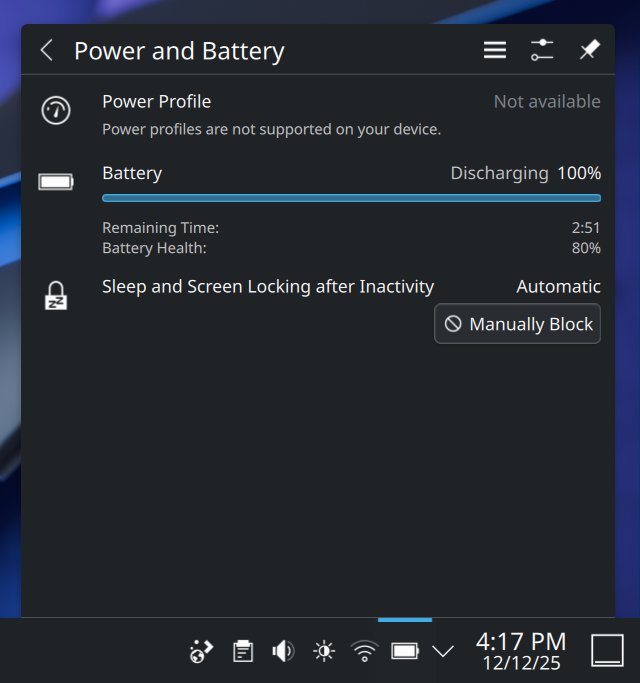
Memory usage was identical in X11 and Wayland, based on the system monitor. I didn't do any fine testing yet. The responsiveness feels identical, something I've never ever had before. Very good. And then, we go into the hardware territory, with no power profiles, and awful battery life. The neverending Linux problem.
Conclusion
Plasma 6.5 is a good release. It's definitely the best of the 6.X branch, and the first that actually feels serious enough. The desktop environment is quite pretty, and Wayland functionality has improved massively. There are some ergonomic regressions and silly choices. The worst part is also the weakest link and the reason why Linux isn't a mass usage system: software management. It's wild, immature, figuratively and literally, with dubious choices that do not reflect the commercial or security landscape in 2025. Without that piece being solved, KDE's effort won't be that different from whatever we had in the past three decades. I'm mentioning this due to more recent work on KDE Linux, plus the torrent of atomic distros flooding the market. Misguided Googleness and Appleness, without the big money concepts.
Now, all in all, ignoring everything else, assuming Linux remains more or less what it is for now, Plasma 6.5 delivers a lot of nice features. But the actual test is in the coming months and years. I'd like to see three consecutive releases with equal goodness and stability, without random breakages. As I've shown you over my two decades of Linux writing, this seems to be an impossible goal. You get a great release, then a mediocre one, then fresh bugs, and so on and so forth. Never true stability, never consistency. If 6.10 is as good as what we have now, then maybe, maybe, there's hope for an actual super-mature Linux desktop. And then, the real hard work starts, with hardware integration and a proper software store.
On the Wayland side, I've not suddenly become optimistic or a convert or anything like that. The display thingie is better than it was. It still lacks critical functionality, but on its own, what 6.5 gives you is better than what you'll see elsewhere. How this fits into the KDE's roadmap in the future, I don't know. The decisions keep changing, perhaps too rapidly, and this is another element of inconsistency that makes Linux hard to accept. Thus, if you want to dabble and test, try Plasma 6.5. I believe you'll be pleased, minus a few wannabe things from macOS and alike that make no sense. So there. Cautiously happy, I am. Or something.
Cheers.