Updated: September 17, 2025
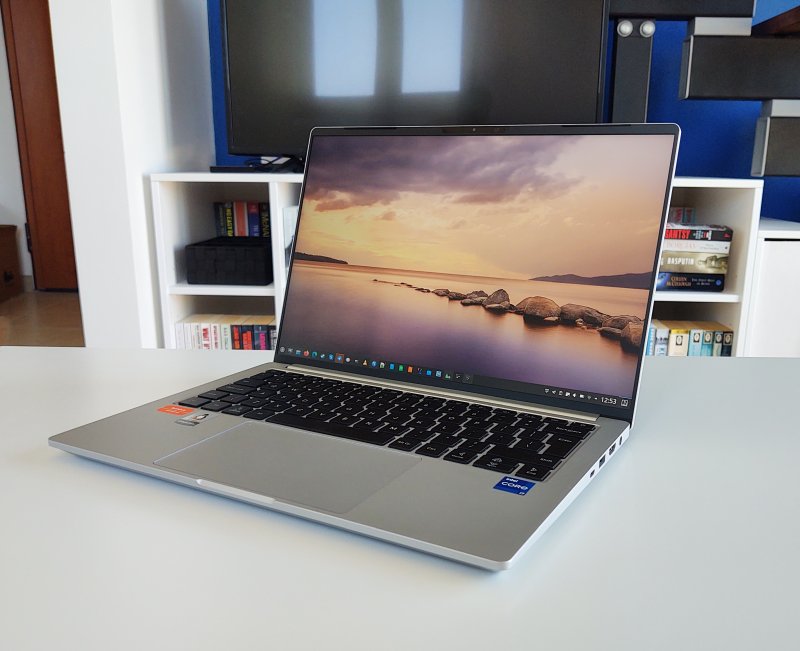
It's been a while since I last talked about my Slimbook Executive laptop. I've had the machine for two years now, and early on, the experience was blissful. Superb really. But then, a firmware update, which you get as normal part of your Linux update process, plus maybe a kernel change or two, messed up the lovely stability and peace of my device. I've talked about this a lot, most recently in the eighth report. I am not very happy about this issue.
It would be easier to cope if I didn't commit myself to moving fully, or let's be more precise, as much as possible, to Linux. I don't want to use Windows 11, and with Windows 10 EOL soon, my recourse now includes buying an expensive Macbook of some kind, or using Linux, with physical and virtual setups, and a couple of compromises here and there. But I don't want to compromise, and any setback, big or small, on either the hardware or the software side makes me quite angry. And makes me look silly, too. So, let's see if today's article is going to redeem my Quixotic enthusiasm for the Linux desktop. After me, fellas.
Lots and lots of (software) problems
We must start on the negative note, I'm afraid. I want to emphasize that the problems all stem from software. Because I realize I'm inflicting pain on the hardware vendor (Slimbook), but it's not technically their problem, so to speak. And yet, we cannot disassociate the two, because I have bought a laptop that is supposed to have good software support and compatibility, especially since at the time of purchase, Ubuntu 22.04 was the LTS. The problems almost all reside in the distro, with a few small issues in the Plasma desktop, as I'm running Kubuntu.
Over the past couple of years, the system's stability has become worse, not better. Firmware, software, lots of new bugs. This does not surprise me. There's almost no QA in the Linux world. That's boring. Everyone wants to be a "hero" developer, and doing a million hours of testing is not cool, it seems. And, over the years, the quality of Linux desktops has gone down. Why? Because software is becoming more and more complex, unnecessarily so, and there's no testing to match this increase in entropy. Forgive this lame analogy.
So what went wrong this time? A few small things, and a few big ones.
Printing is utterly broken!
Oh, man. So here's the thing. My Xerox B215 printer is Linux friendly. And it worked great for a long time. Then, if you look at my long-term reports for this machine, problems started happening. Various CUPS errors, I had to reboot the laptop to print, and similar nonsense. Now, we've reached a new level. No ability to print, whatsoever.
The REAL problem is - I don't "troubleshoot" my printing every Thursday. If something works, I expect it to keep working. So, when I actually need to print, I NEED TO PRINT. This is the worst time to discover that your Linux has decided to misbehave. Instead of doing the actual important work I need, printing documents and whatnot that I NEED RIGHT NOW, I am forced to debug crappy code.
According to my Kubuntu 22.04, the printer is in the paused mode. Won't budge.
OK, let's manually remove the printer and re-add it. Nope. There's a service called cups-browsed that runs automatically, AND IT AUTO-DISCOVERS AND ADDS NETWORK PRINTERS FOR YOU! But I don't want it. No luck. You must disable this service to be able to manage your printers manually. This is Windows 11 level of intrusive.
Now, the system (CUPS Web or Kubuntu settings) shows multiple instances of the printer. Different names, same thing. You have options like AppSocket, IPP over DNS-SD, similar nonsense. Total nerdy stuff that means nothing to normal people.
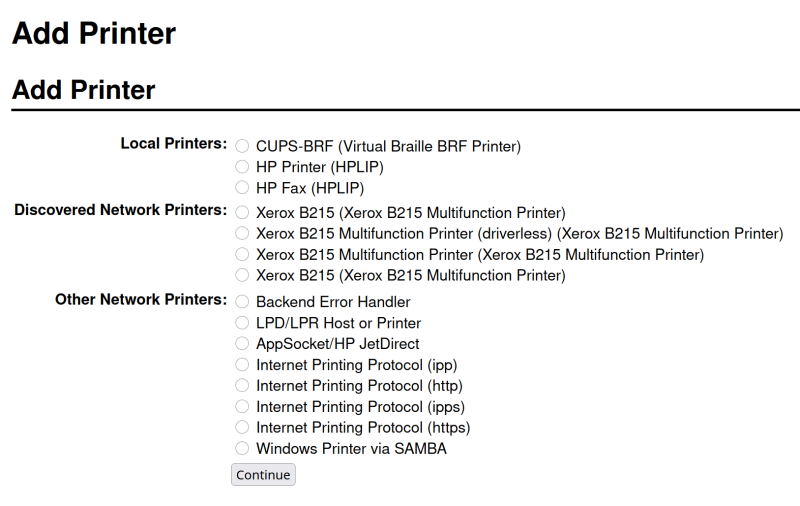
Four instances shown, none work. Let's not forget "Add Printer" written twice. 2025!
The errors are as ambiguous as they can get:
[Client 52] Returning IPP client-error-bad-request for Create-Printer-Subscriptions (/) from localhost.
Or perhaps:
[Job 16] Backend returned status 4 (stop printer)
If you try to make changes through Plasma Settings, the utility will always crash. So you must use the Web UI to edit your printers. This is 100% reproducible, always resulting in a segmentation fault. Extremely annoying and sad, because it wasn't like this.
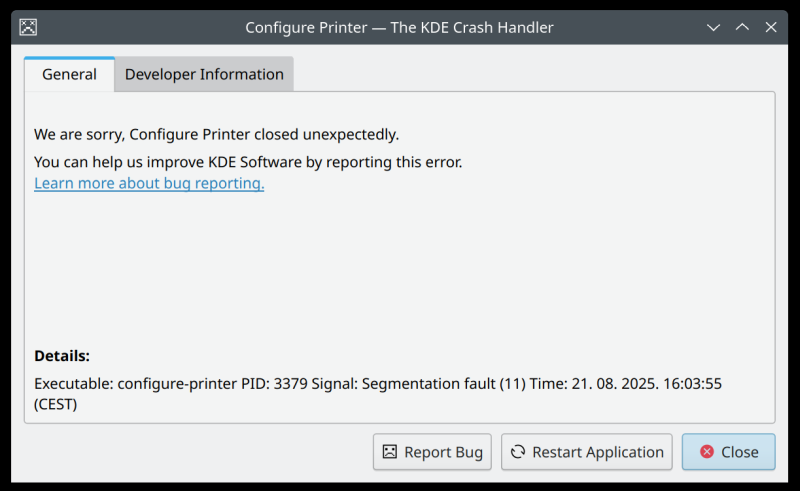
Whatever I did, I couldn't get the machine to print. Meanwhile, a Windows 10 machine does it without any fussing whatsoever. And this is what software developers simply don't get. It's this kind of small things that make or break the desktop experience. So yeah, I couldn't fix it. Just couldn't.
Okular, forms, RTL languages
As you know, I love languages, and I speak quite a few, including some rather exotic ones. I wanted to see how well Okular handles slightly more complex PDF documents, with forms and such. The answer is, not that good. I had a couple of files that Okular just couldn't do. You click Show Forms, and nothing happens. You try to annotate using RTL keyboards, and the text does not show inside defined text areas.
Smartphone support
The old issues remain. Connect an Android phone, whichever option you choose to "mount" it, whether directly through Dolphin or through the system tray, it won't let you copy files until you close the file manager and reopen it. With the iPhone, you must use the system tray functionality > View photos. That's the only option that works. The device does not show in the sidebar in Dolphin. These are outstanding problems, and have been around for a long time.
Other problems ...
The firmware + kernel glitch remains. Every few days or weeks, no guarantee when it will strike. You use your laptop, and suddenly, the screen goes dark. Then wakes up, goes dark again. The keyboard start misbehaving, typing out garbage sequences. Or the mouse stops working. Then you suspend the laptop a couple of times, and it recovers. Occasionally, it needs a hard reboot.
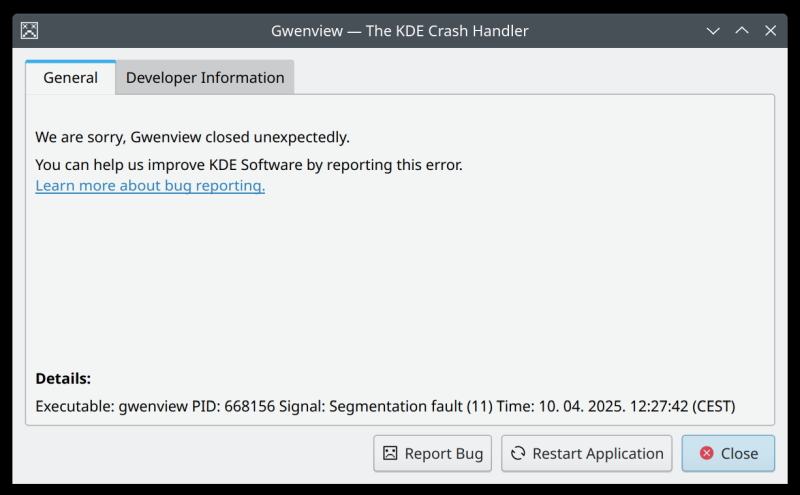
And GwenView also decided to crash on me. This was during an image resize operation:
Anything good?
Well, apart from all of the above, yes. I still find the laptop's physical attributes amazing. The Executive is simply lovely. The case feels great. The display hinges are great. The keyboard is awesome. The sound quality is good, the colors are good. Most of the time, it works superbly well, across a whole range of usage categories, from DOS games to WINE to virtualization to video processing to browsing and whatnot.
Now, I sound quite negative, but I'm not. I'm begin realistic and honest. I also hate the fact I cannot fully separate the machine from its operating system, as this is the setup I chose. But I am quite confident that no matter what chassis you select, what distro you select, there will be hardware problems. In this regard, I think Ubuntu does better than most. Also, if you look at other operating systems like say for instance the failure called Windows 11, it's broken and annoying. But that's a low bar to aim for. The desktop space desperately needs quality, and there's constantly less and less of it. Software development has become a chaotic sandbox without any regard to hard usability. It's all frivolous instant gratification now, it seems.
Conclusion
Once again, I don't have too many good things to report. Really annoying. Now, this really has little to do with the machine itself. But the experience is indicative of what one might get if they choose to run Linux on their hardware. In this case, the victim is the lovely Slimbook Executive. What makes the findings extra annoying is that my Titan (another Slimbook) has sorted itself out, despite the fact it runs an Nvidia card. But this machine, with the stock Intel HD graphics, suffers from a bunch of nonsense issues. If anything, it ought to be the other way around, due to the relative complexity of the drivers involved.
Indeed, my problems seem to fall into two buckets. Hardware, messed up by firmware issues for quite a while now. Software, which has nothing to do with the underlying metal and plastic. I mean, how hard it is to print in 2025? Why would this ever be an issue, especially since it WORKED fine? This is disheartening, and makes me look an idiot. I go around preaching Linux (moderately, but still), and then, awfully silly things like these completely knock the wind out of me proverbial sail.
This is why I decided to upgrade the Exec's Kubuntu 22.04 to 24.04. It's been a while, the new LTS has matured, so I expect, hopefully, better hardware support and no worse software support. That shall be the primary topic of our next Executive endeavor, the tenth report. Stay tuned.
Cheers.