Updated: April 19, 2023
By the time you read this article, and/or correlate its publication date with my original Slimbook Titan article, the subsequent HW & install one, or the applications & gaming one, you may be a little confused or overly pedantic when it comes to a simple temporal question: has it really been a month? No matter. Give or take a couple of days, I've now had the Titan in me possession for several weeks, and I've used it quite extensively in this period.
To that end, I'd like to write another mini review, and this would be the first of "combat reports", similar to what I've done with my older Slimbook Pro2 and its long series of such articles. I want to give you my second impression on how the laptop has been behaving, the hardware support and compatibility, the ergonomics, the software side of things, and such. Let's begin.
Hardware
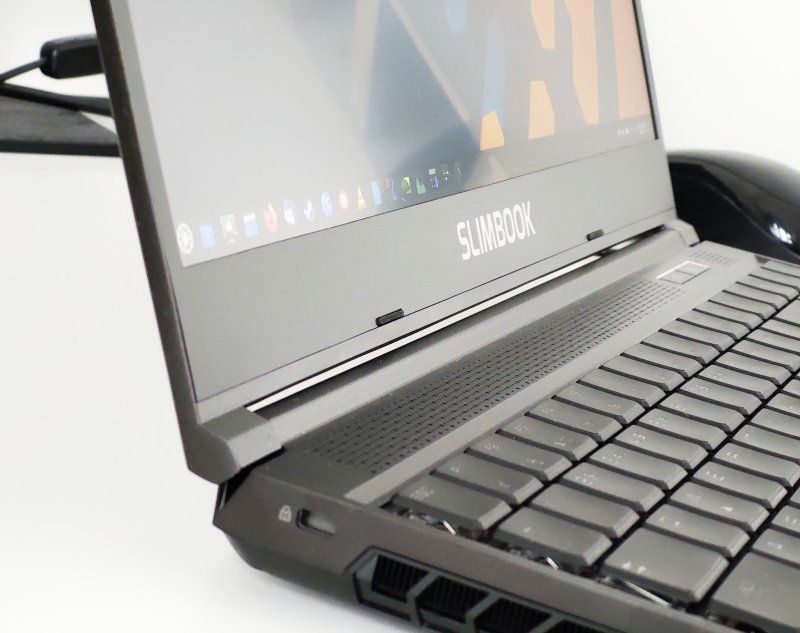
By and large, things are solid. The laptop behaves. The battery holds its charge well and reliably, and the usage figures are similar to what I've observed early on in my reviews, although Plasma, like any system really, may underestimate or overestimate usage. The machine does not overheat, even under heavy load. Similarly, the fans don't scream too much. The screen is wonderful, crisp and clear, and the colors are joyful.
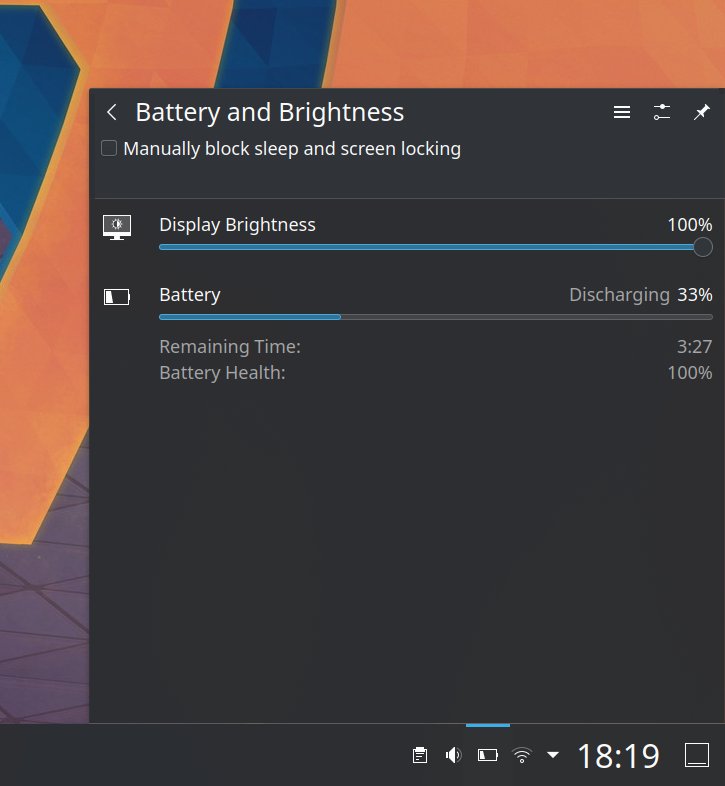
A funny screenshot of an unrealistic battery life prediction. Six hours is more likely than 10+.
Now, let's look at some negatives ... The keyboard will remain the weakest link with this device. The spacing of the keys is not something I can solve, nor the less-than-stellar feedback mechanism. It ain't bad, but it's not amazing, either. I also had to install the Slimbook RGB utility to be able to have a consistent keyboard backlight functionality.
I also encountered some issues with the Fn keys. As it happens, while I was playing with disk encryption, I ended up with an unbootable session. As one would, I tried to activate the virtual consoles, to see if perhaps there's a shell I could log into and do some troubleshooting right then and there. This didn't work, but along the way, I may also have clicked the Fn keys (rather than Ctrl and Shift). Part of the issue also stems from the fact that the keyboard backlighting does not work reliably until after you're logged into the Plasma session with its Slimbook utility running, so I was working in "dark" conditions, which makes mistyping that much easier.
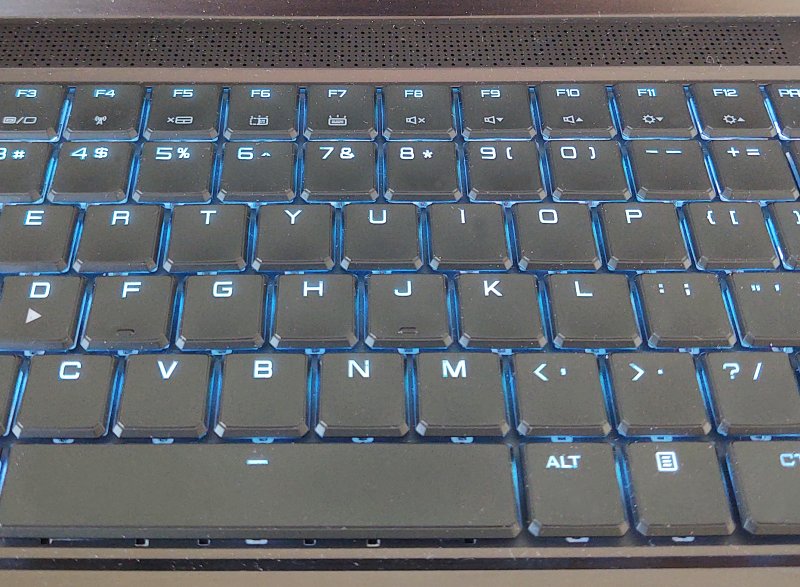
This is the best I could do - the least obtrusive hue (blue-white), no pattern.
None of this would be a problem ... except the keyboard Fn functionality works regardless of your actual system session. In other words, while the keyboard backlight is borked, hitting Fn + whatever does whatever it's supposed to do.
Thus, I ended up with no Wireless connectivity, and rfkill reported it being hard-blocked. I used the Fn + F4 combo, and the issue went away. Then, I noticed my Plasma menu wasn't working correctly. Or more precisely, I couldn't invoke it with the Super key. In fact, the Super key wasn't working at all.
Again, this was due to an accidental press of the Fn + F2 combo. Misleading, as the key symbol is a padlock, which would make me believe this is about locking your session (or something), surely not disabling the Super key. Anyway, if you have a Slimbook Titan, F2 is the key you're looking for. I didn't find any documentation regarding this really.
Lastly, there is some fan noise after all. But this ain't normal heat dissipation function. It's the occasional high-pitched warble. One of the fans does this odd noise now and then. Hopefully, the bearings will settle. It's been a month, so I'm not sure, but hey.
Software
The stuff largely works fine. But I did encounter a few niggles. Overall, the system is stable and behaves in a predictable fashion. No crashes, no major bugs. That said, here's a short list of issues that I discovered in the past few weeks:
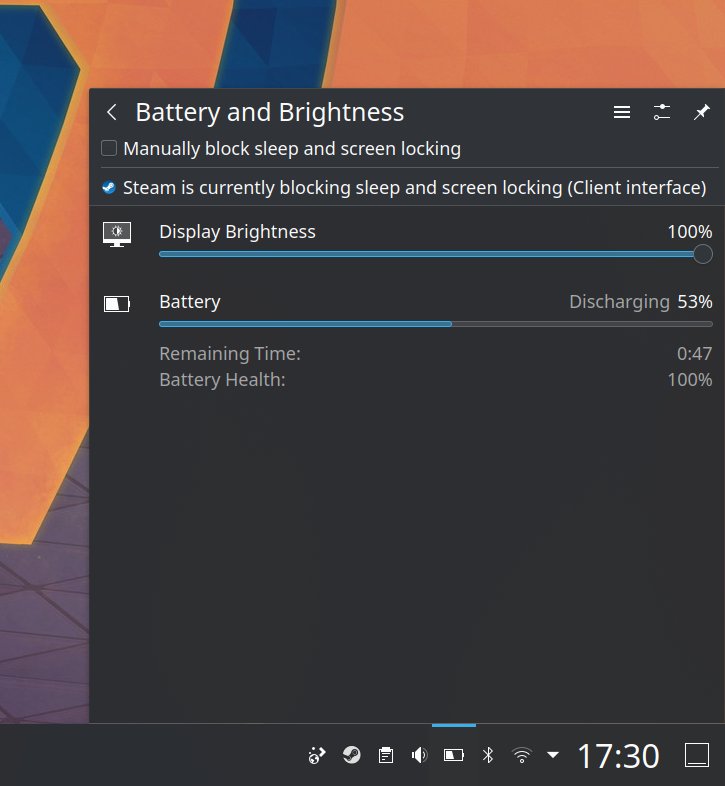
- Plasma says that Steam is blocking sleep and screen locking, but this is not the case. The system did eventually suspend after a few minutes, as defined in the Plasma power configuration.
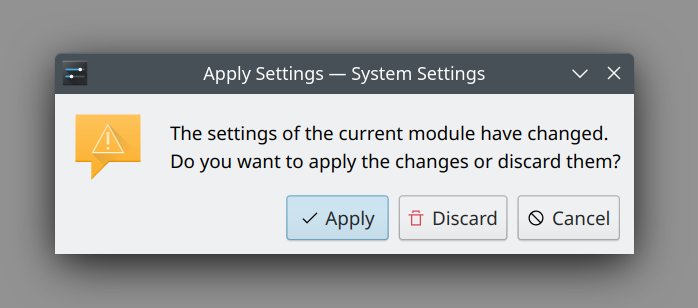
- Speaking of power, I noticed a bug. Go to Settings > Power Management. There are three tabs available in the side bar: Energy Saving, Activity Power Settings, Advanced Power Settings. Whenever you click on the second and then click away, it will always prompt and ask you to apply/discard changes, even if you made none.
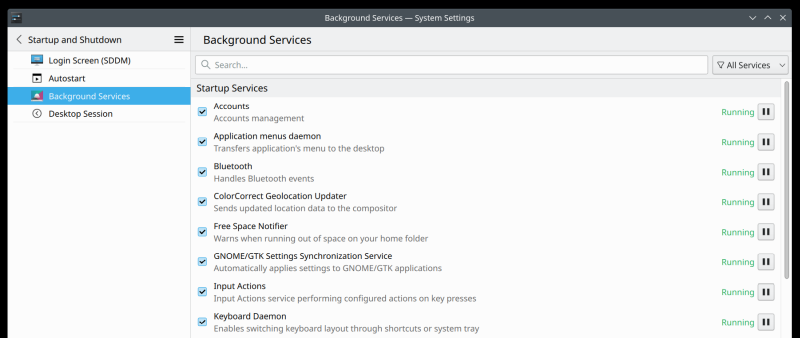
- Every time I log into the system, Bluetooth is enabled. This is ultra-annoying. So I disabled the service through Plasma Settings. Let's see what happens next time.
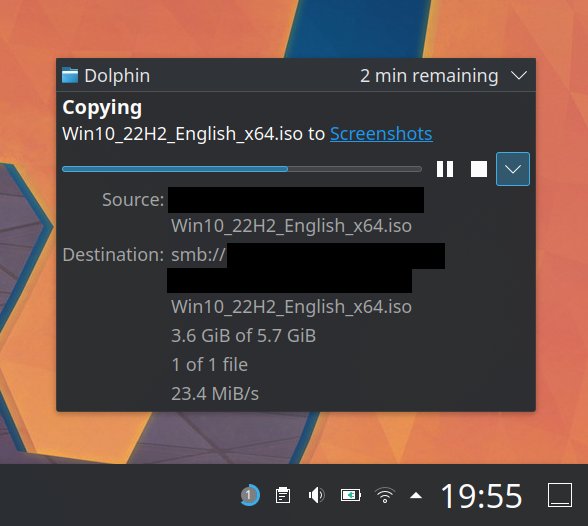
- There was a Samba error. More specifically, I copied some files from my Titan to a Windows share. Then, I wanted to move those files from the share to a different folder. Windows complained that the file was held by a different program (and system), but no process actually had a file handle. 'Twas Dolphin, but closing it in the current session didn't work. Trying to delete the file from inside the file manager resulted in a D-Bus busy error. I had to log out of Plasma and back before I could really remove the file (on the Samba share).
- But at least the Samba speed is great! We're in the 23-24 MB/s region over Wireless!
- Dolphin was had an issue with the Download folder and dates grouping, but I fixed that.
- GwenView had tiny font in the sidebar, but I fixed that.
And that is all for today, folks!
Conclusion
So far so good I must say. I'm quite pleased with the Slimbook Titan. It's hard to shake off the initial woes, but since, it's been smooth sailing, with only an occasional cross-wave to disrupt the voyage. The laptop is behaving, the system is behaving, the software is behaving. But games! They work!
Now, my primary focus will be more and more games testing. Hint: I've got a few fresh titles in store for you, and they all seem to be working really well. I will also invest a bit more into data backups, and then there's KDE Connect, general smartphone connectivity (without the app), and then some. Well, for now, cautiously, it looks like I might not need to wait for the Windows 10 EOL after all. I am even mulling dual-booting my desktop as another step toward full (eventual) Linuxification of me setup. But I'm getting ahead of myself. Take care, and stay tuned for more goodies.
Cheers.